Run and monitor
Save and update
Save (new workflow) or Update (existing workflow) stores the graph and regenerates the workflow's two Airflow DAGs — deploy and teardown — on the Airflow server and on every worker.
After saving, Run is disabled for a short countdown while Airflow loads the new DAG. It also stays disabled (labelled Provisioning) until every processor's code is provisioned on its worker; the tooltip lists each processor, worker and status.
Run and stop
- Run triggers the deployment DAG: each processor becomes a task routed to its worker, which starts the containers with
docker compose up -d(Compose processors) ordocker run -d(single-container processors). - Stop triggers the teardown DAG, which stops and removes those containers.
- The same actions are available as Deploy and Stop in Warehouse → Workflows.
3. Airflow Runs
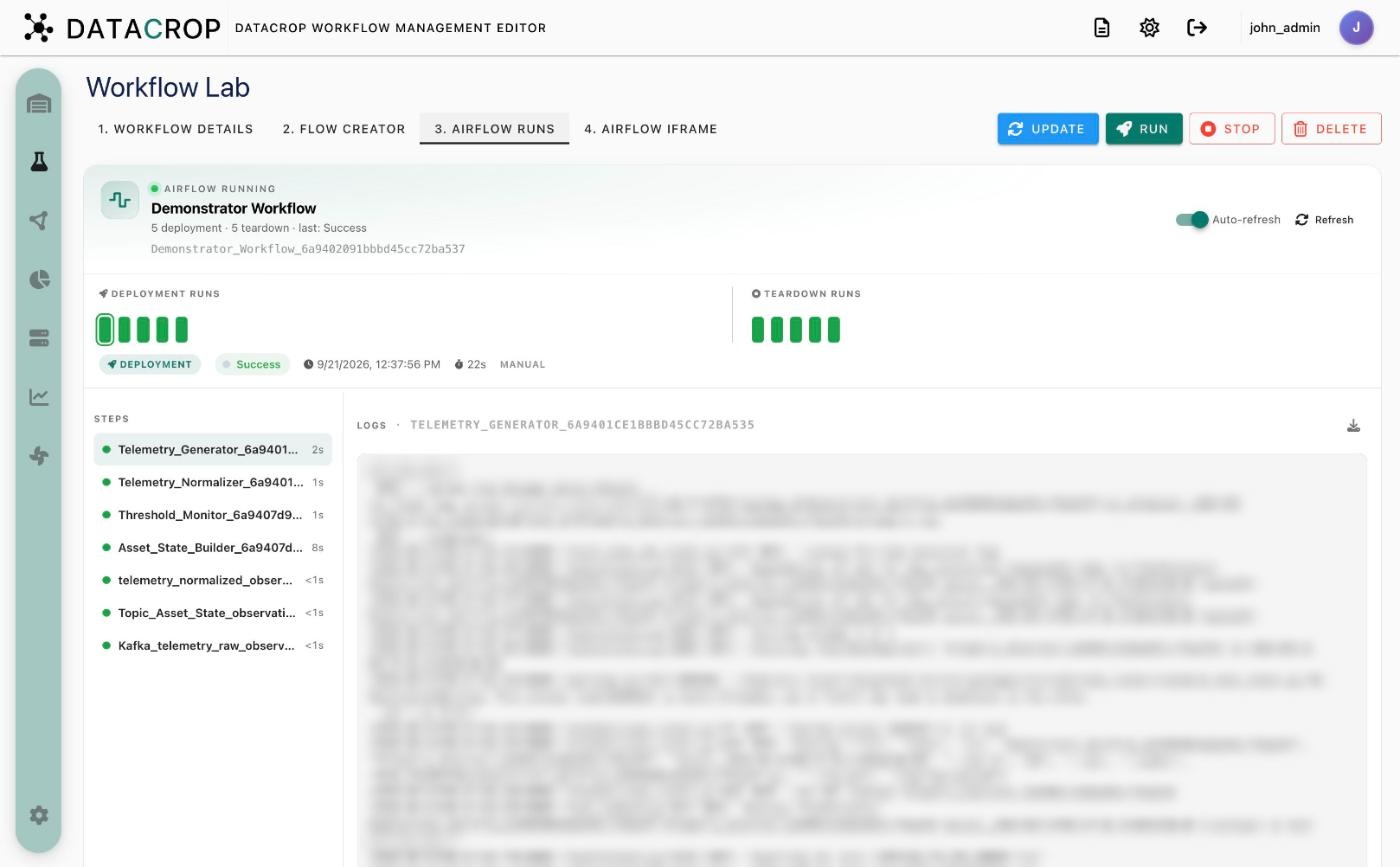
- A header with the workflow's DAG id and a summary (number of deployments and teardowns, last result).
- Deployment runs and Teardown runs strips — one square per run, coloured by result. Select a run to see its date, duration and trigger.
- Steps — one per processor task, with status and duration. Select a step to read its logs (choose the try if it was retried) and Download logs.
- Airflow import errors for the DAG are shown here too. Enable Auto-refresh while a run is in progress.
4. Airflow iframe
The workflow's DAG grid in the Airflow UI, with a toggle between the deployment and teardown DAG.
After the run
Use Worker Runtime to see the running containers, their health and output, and to start, stop or restart individual processors without rerunning the workflow.