Configuring processors
Double-click a processor to open Edit a Processor.
General Information
Name and Description of this processor instance.
Deployment
Worker Station — the worker this processor runs on. The read-only fields next to it (IP address, queue name, status, concurrency, tags) come from the worker's catalogue entry. Logstash Pipeline processors have no worker.
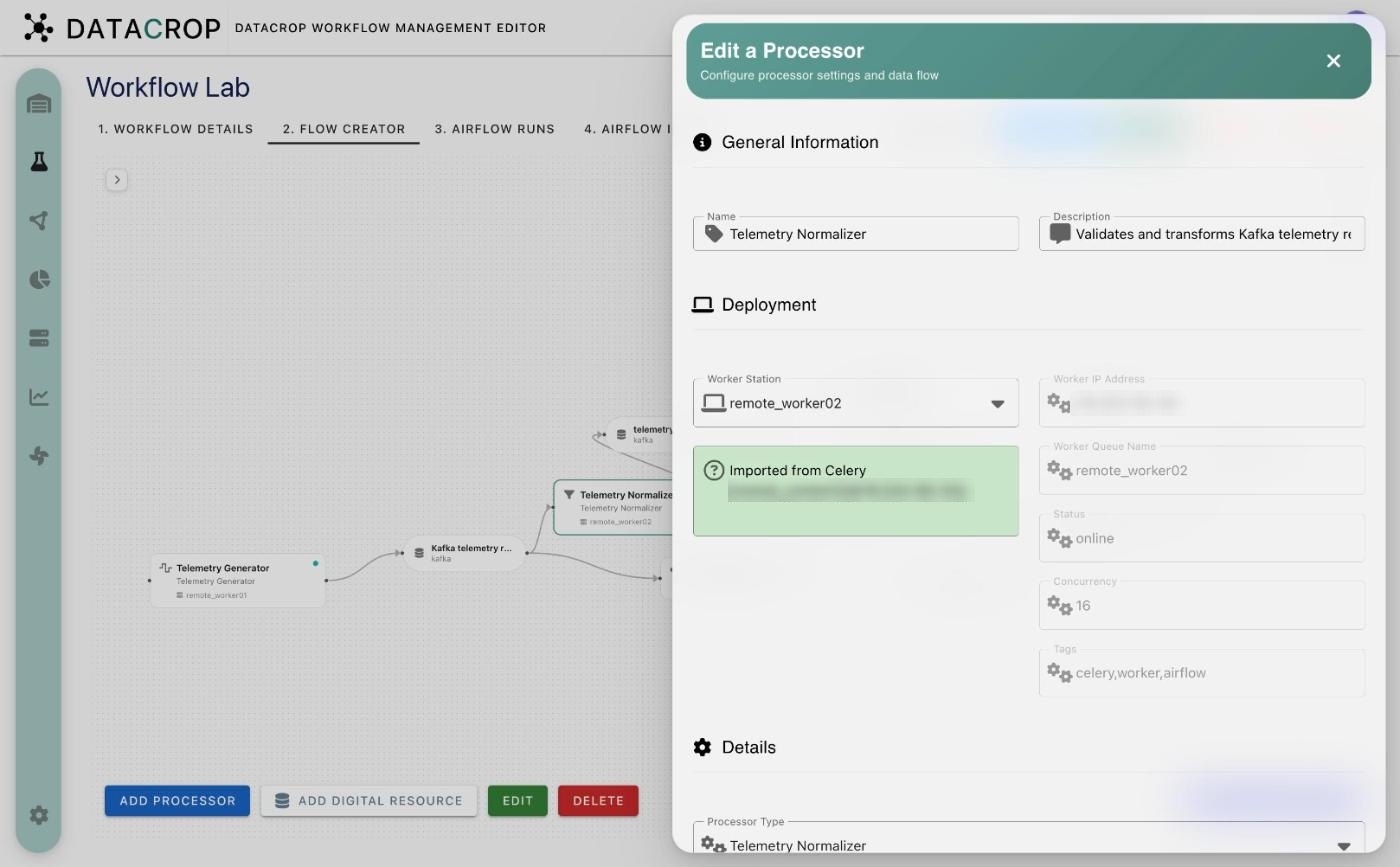
Details
Processor Type — the processor definition. Changing it reloads the parameter table.
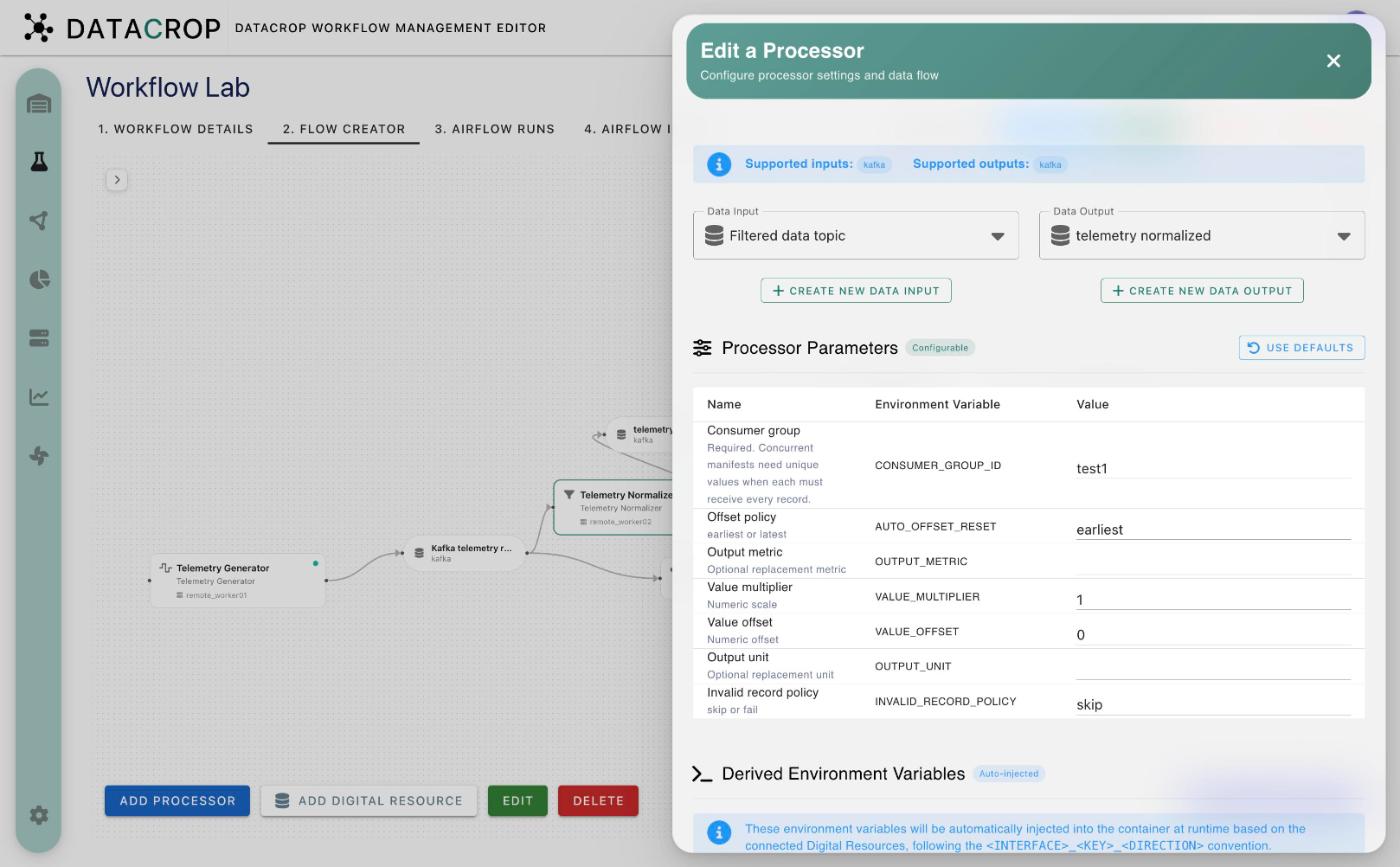
Data Flow
Data Input and Data Output — the connected digital resources. The lists only offer resources whose interface type the definition supports (shown as Supported inputs / outputs). Create new data input / output creates a resource without leaving the form.
Processor Parameters
One row per parameter of the definition: Name, Environment Variable and Value. Use Defaults fills the default values.
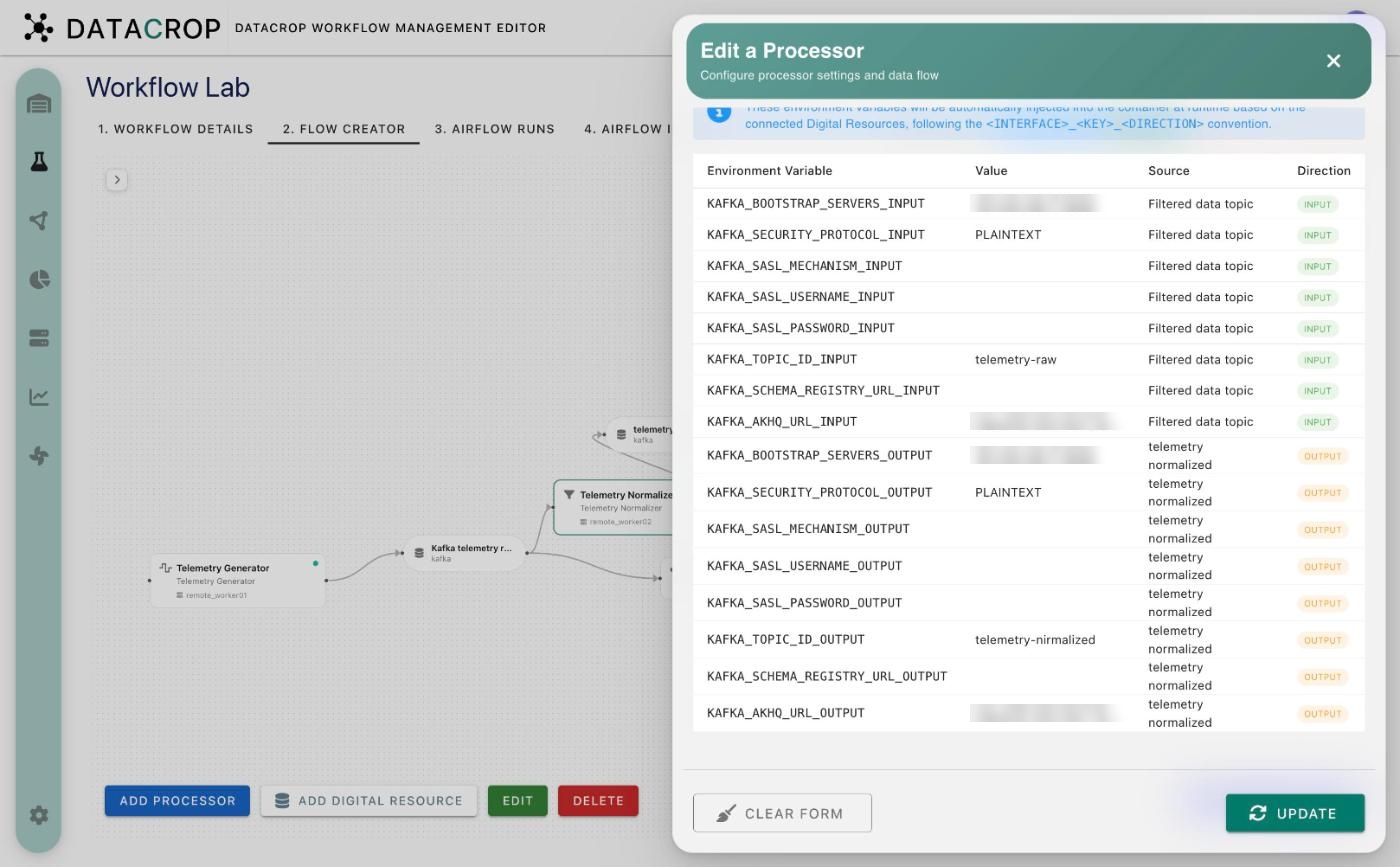
Derived Environment Variables
A read-only table — tagged Auto-injected — of the variables WME will add to the container for every parameter of every connected resource:
<INTERFACE>_<KEY>_<DIRECTION>
Columns: variable, value, source resource and direction (INPUT / OUTPUT). If a derived variable has the same name as a processor parameter, the derived value wins.
Logstash Pipeline processors
For the built-in Logstash Pipeline the form shows a Logstash Filter Configuration section instead of a worker, with an AI Assistant. See Logstash pipelines.