Workflow Assistant (Preview)
The Workflow Assistant is new. It requires the assistant-runtime service and an AI model that supports tool calling, configured as described in AI providers. Behaviour may change between releases.
The Workflow Assistant is a chat in which an AI agent builds things in your catalogue for you. It can look things up, create data kinds and digital resources, check which workers are ready and assemble a complete workflow draft — which you then inspect and save in the Lab. It never deploys anything.
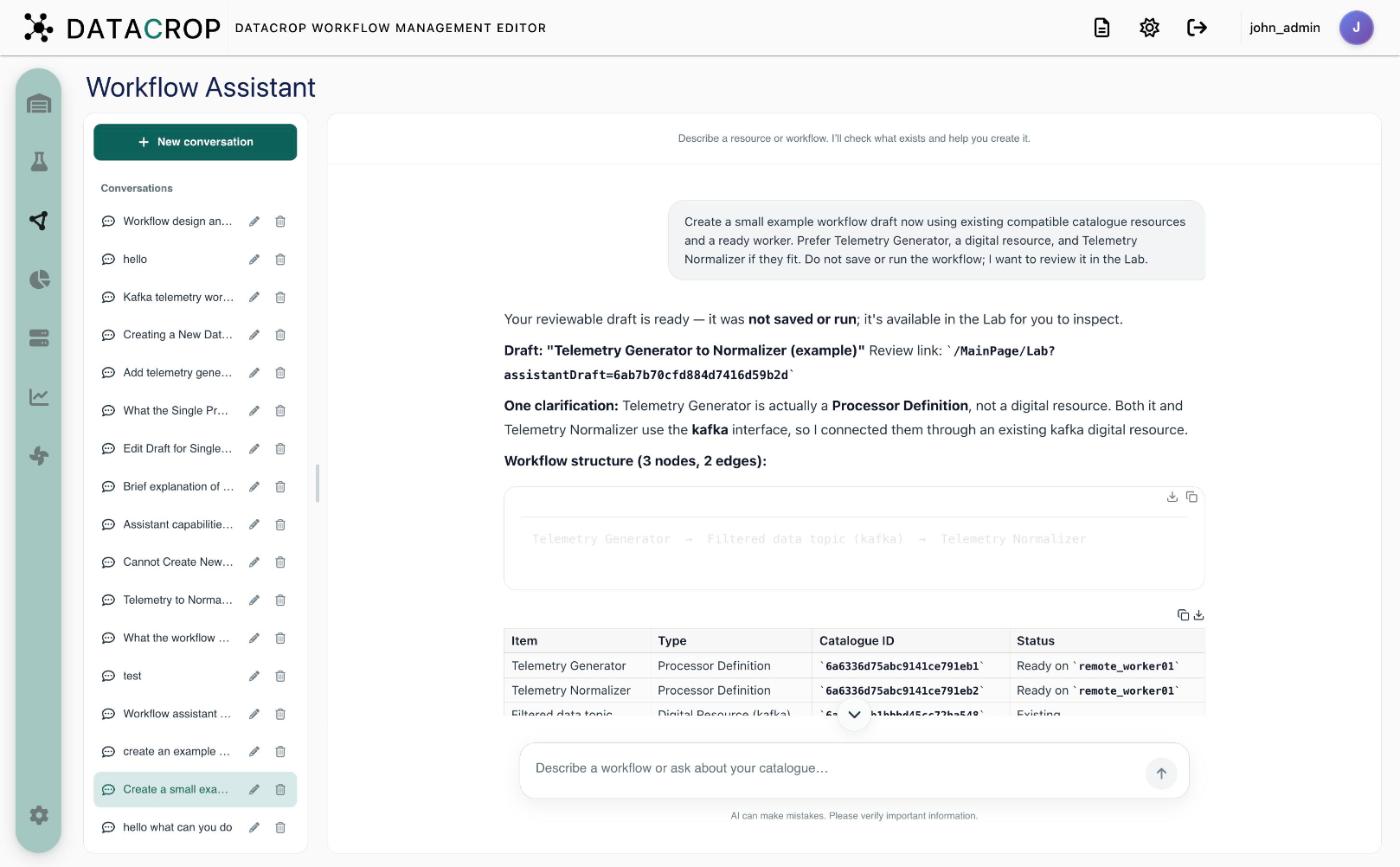
Layout
- Conversations (left) — New conversation, your past conversations (titles are generated automatically; rename inline or delete) and the drafts created in the current conversation. The panel can be resized.
- Chat (right) — the conversation and a composer: Describe a workflow or ask about your catalogue…. Type
@to mention one of your saved workflows.
What it can do
| Step | Tool | Effect |
|---|---|---|
| Search | search_catalog | Finds data kinds, interface types, digital resources, processor definitions, workers and workflows |
| Inspect | inspect_data_interface, get_workflow, workflow_rules | Reads an interface type's required parameters, an existing workflow, the connection rules |
| Create data kind | create_data_kind | Creates a data kind immediately |
| Create resource | create_digital_resource | Creates a digital resource (private to you). If secrets are needed, a secure form appears; values go directly to the backend and never to the model |
| Check workers | check_worker_readiness | Which workers have the needed processors provisioned |
| Report gaps | report_requirements | Lists known items, missing items and worker gaps |
| Draft | create_workflow_draft, propose_workflow_edit | Builds a draft, or proposes edits (add/remove/connect nodes, set parameters…) to an existing workflow |
Each step appears as a card in the conversation, with links such as Open Data Kind or Open Digital Resource.
What it cannot do
- Create processor definitions, data interface types or workers. If your request needs a processor you do not have, it says so; add the definition yourself (Processor definitions).
- Save, deploy or run workflows.
From draft to workflow
- Click Go to Lab on the proposal (or the draft in the conversation list).
- The Lab opens the draft as an unsaved workflow. Review every node, fill in parameters, assign workers where the assistant reported gaps.
- Save creates the workflow. For edits to an existing workflow, Update first checks that the workflow has not changed since the assistant read it.
Questions
You can also just ask — "Which workflows use the alerts topic?", "What does the Threshold Monitor need?". Questions are answered from a snapshot of your catalogue without calling any tools.
Privacy
Conversations are stored per user in WME's database. The model sees your messages and catalogue data returned by its tools, but not secrets entered in secure forms. Which model is used is decided by the server default or your own provider.