Worker Runtime
Worker Runtime is the runtime control plane: for every worker it shows the processors assigned to it and the containers actually running there, with health, logs and controls.
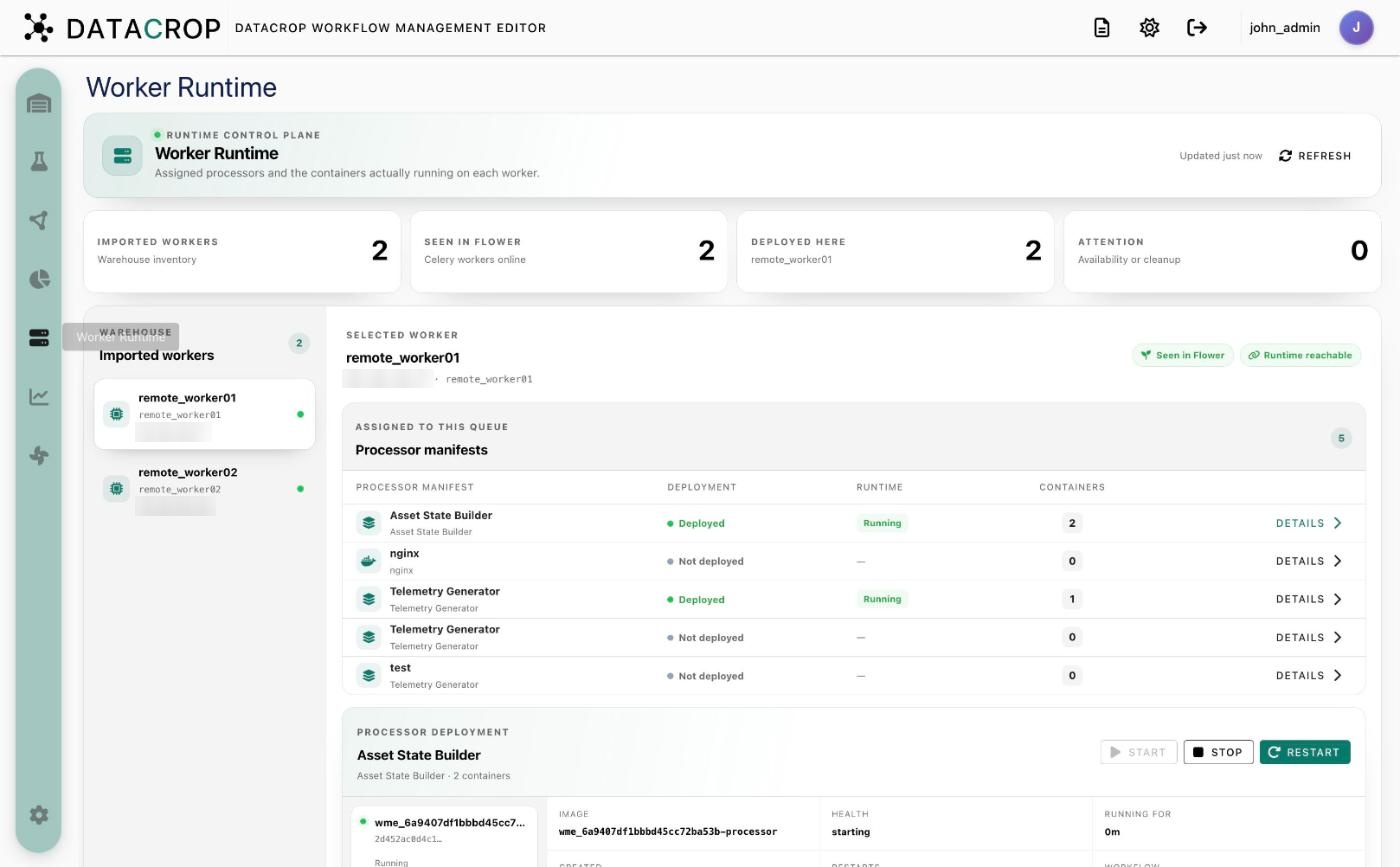
Summary
Four counters: Imported workers (in the Warehouse), Seen in Flower (Celery workers online), Deployed here (processors running on the selected worker) and Attention (problems: unreachable workers, orphaned containers).
Workers
The list of imported workers with their queue and address. A dot shows whether Flower currently sees the worker: Seen in Flower, Not found in Flower or Flower unavailable. A badge tells you whether the worker's runtime (the WME agent) is reachable.
Processor manifests
For the selected worker: every processor assigned to its queue, with Deployment (deployed / not deployed), Runtime state (for example Running) and Containers count. Click Details to select one.
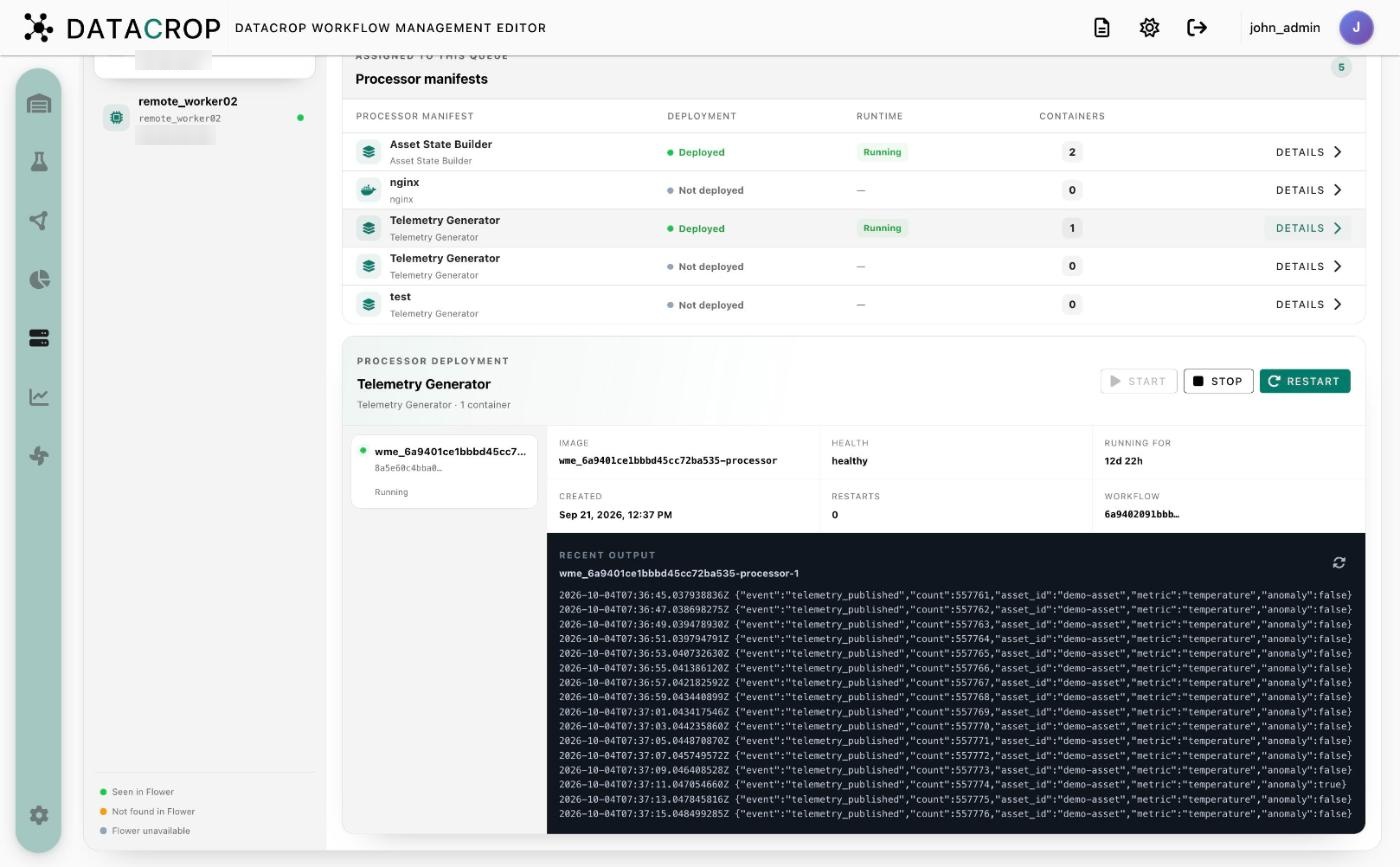
Processor deployment
For the selected processor:
- Start, Stop and Restart — act on the processor's containers directly on the worker (no Airflow run).
- Its containers (Compose applications can have several), each with image, health, running for, created, restarts and workflow.
- Recent output — the last 200 log lines of the selected container, with refresh.
Orphaned deployments
Containers labelled as WME-managed but whose processor no longer exists are listed under Orphaned deployments with a Remove action.
The backend asks each worker's WME agent for containers labelled wme.managed=true and matches them to processors through the wme.processor-manifest-id label. See Worker agent API.