Workers
A worker is a host that runs processor containers. On the infrastructure side it runs an Airflow Celery worker (listening on its own queue) and the WME agent; see Adding workers for how to start one. In the editor, a worker is a catalogue entry you assign to processors in their Worker Station field.
Import workers from Celery (recommended)
Warehouse → Workers shows a Provision workers from Celery panel listing the Celery workers currently online in Flower: worker name, queue, host, status, concurrency and whether it is already In catalog or New.
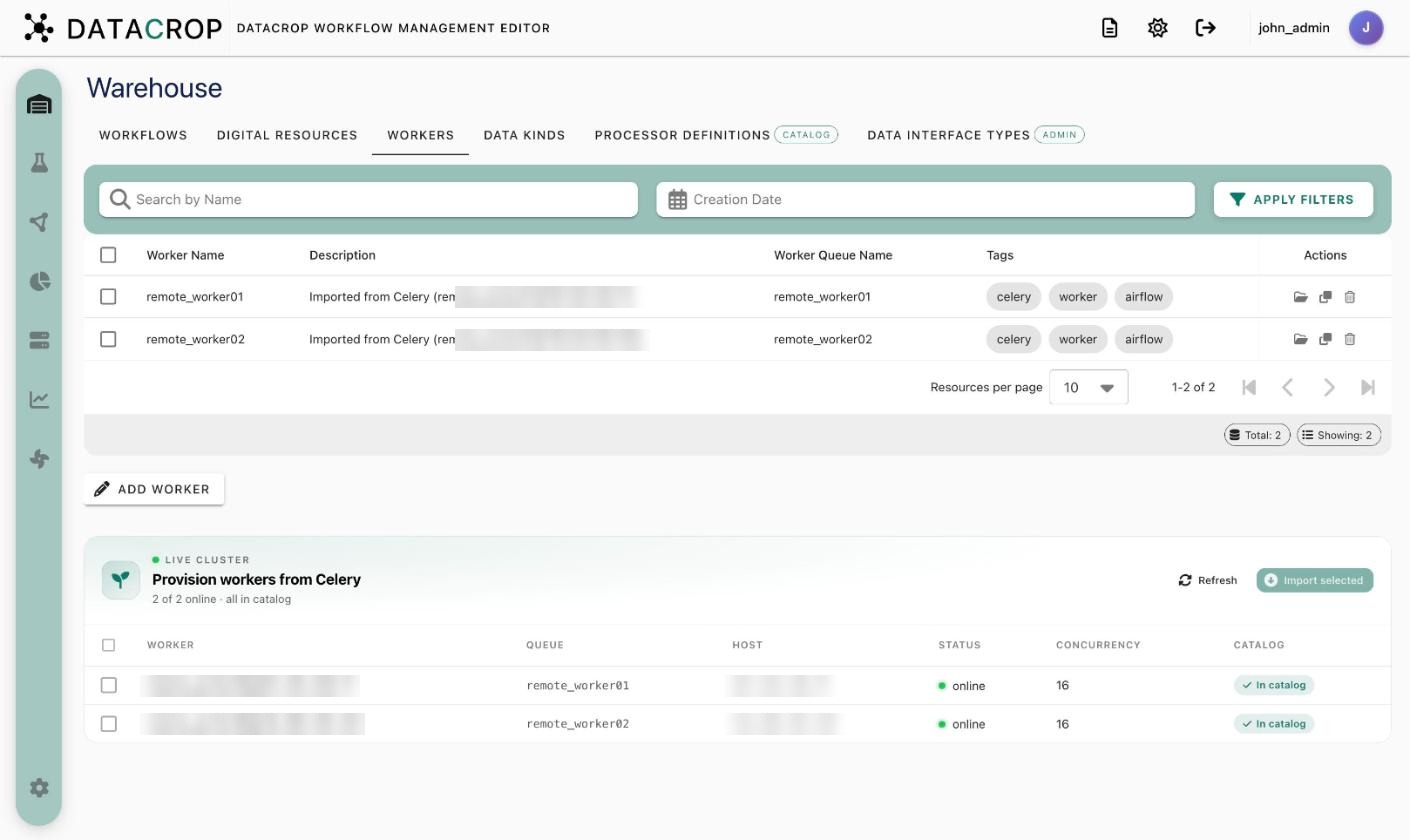
Select the new ones and click Import selected. WME creates a worker entry per Celery worker with its IP address, queue name, status and concurrency filled in, and immediately provisions every GitHub-based processor definition onto it.
If the panel says No live workers reachable, start the worker (and check that Flower is reachable from the backend), then refresh.
Add a worker manually
Add Worker and fill:
| Field | Meaning |
|---|---|
| Name, Description | Display name |
Worker IP Address (IP) | Where the backend reaches the worker's agent |
Worker Queue Name (QUEUE_NAME) | The Celery queue the worker listens on — must match its WORKER_NAME |
| Status, Concurrency, Tags | Informational |
What happens after registration
- Every GitHub-based processor definition is cloned onto the new worker. Check progress in the processor definition's Runtime → Provisioning status.
- The worker appears in Worker Runtime, which shows whether Flower currently sees it and which containers run on it.
Remove a worker
Delete the entry in Warehouse → Workers and stop the worker stack on the host (docker compose down). Processors assigned to it will need a new Worker Station before the next run.