Processor definitions
A processor definition describes a processing component as a black box: how it runs, which data it accepts and produces, and which settings it needs. Workflows use instances of these definitions.
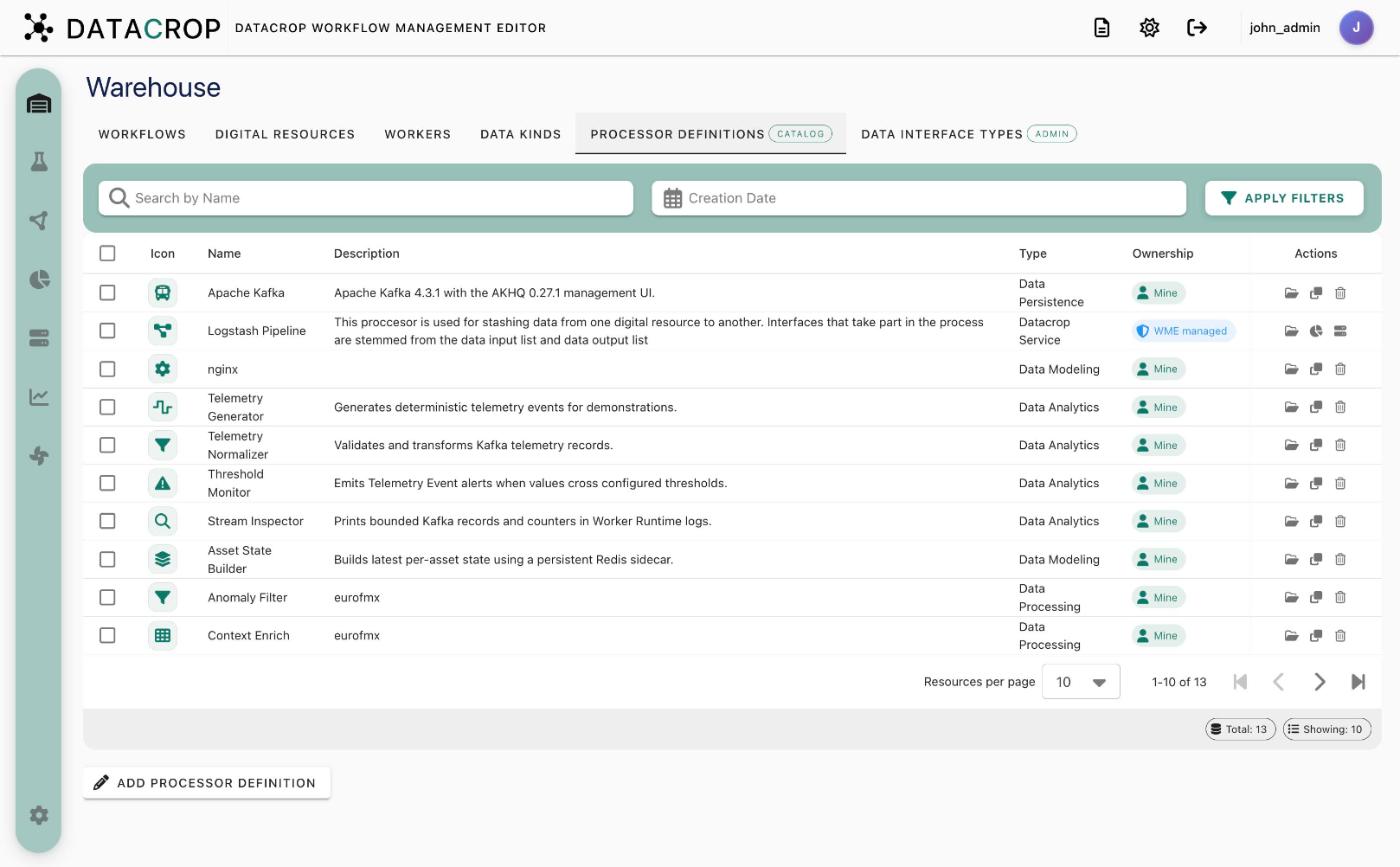
Ownership
Each definition shows an ownership chip:
- Mine — you created it (Initialize Resources also creates your own editable copies of the bundled processors).
- Shared — owned by someone else; read-only. Duplicate it to get an editable copy.
- WME managed — built into WME (for example Logstash Pipeline); read-only.
A definition that is used by any processor in a workflow cannot be deleted.
The wizard
Add Processor Definition (or open an existing one) starts a five-step wizard.
1. Basics
Name, Version, Description, Category and an optional Publisher / copyright. Pick an icon under Display options. Categories: Data Persistence, Data Analytics, Data Processing, Large Language Model, Machine Learning Model, Data Transformation, Data Pipeline, Data Visualization, Data Quality, Data Security, Data Governance, Data Modeling, Data Mining. The category groups the processor in the Flow Creator's Presets panel.
2. Runtime
Choose how the processor runs:
| Mode | You provide | What WME does |
|---|---|---|
| Single container | A container image reference (e.g. ghcr.io/acme/detector:1.4) | Runs it with docker run -d on the selected worker, passing parameters and resource settings as -e variables. Private registries use the credentials from Settings → Registry Credentials. |
| Compose application | A GitHub repository URL, branch or tag (default main), optional compose directory (where docker-compose.yml / compose.yaml lives) and optional access token from Settings → GitHub Tokens | Clones the repository onto every worker ("provisioning"), then runs docker compose up -d with a generated .env. |
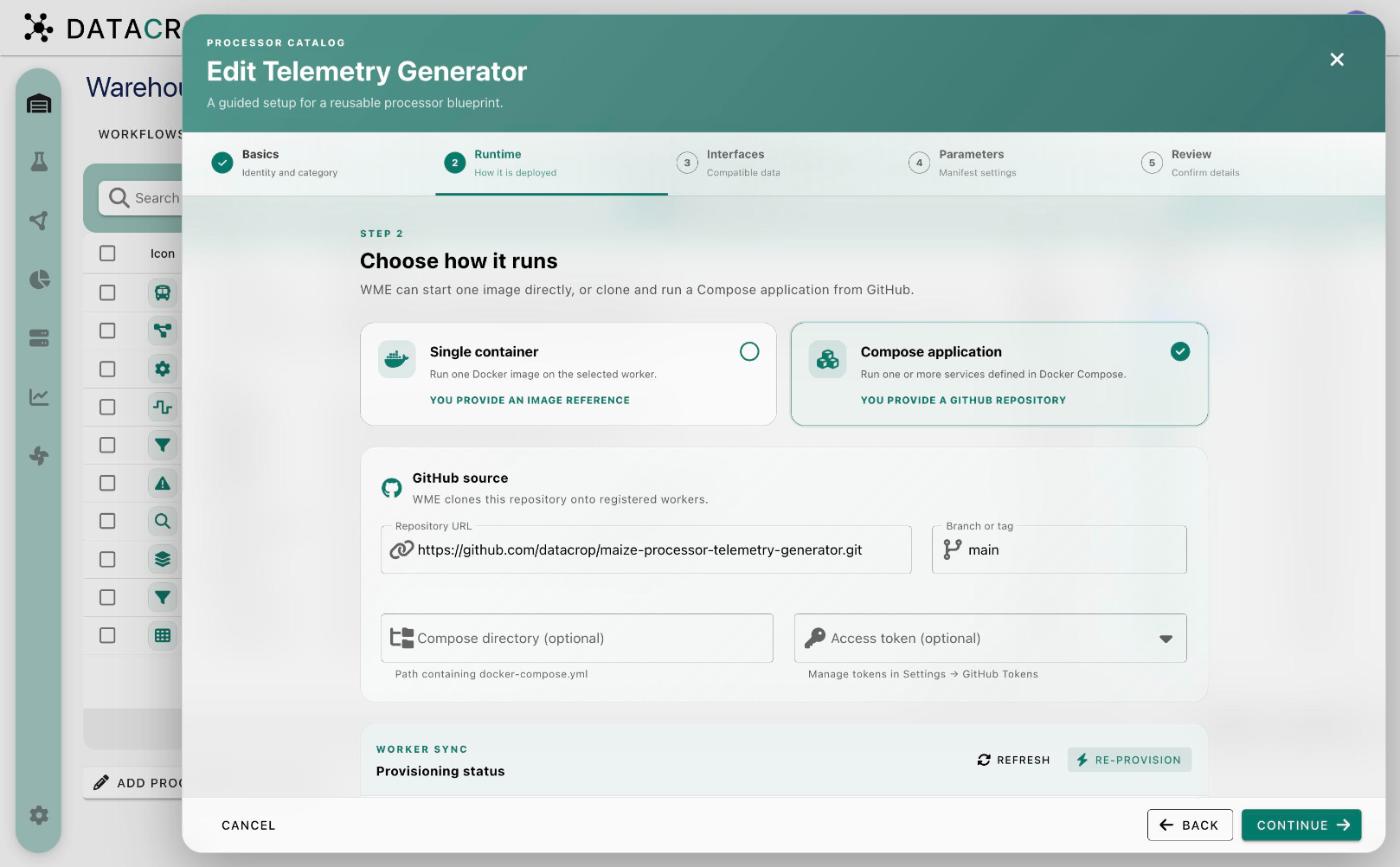
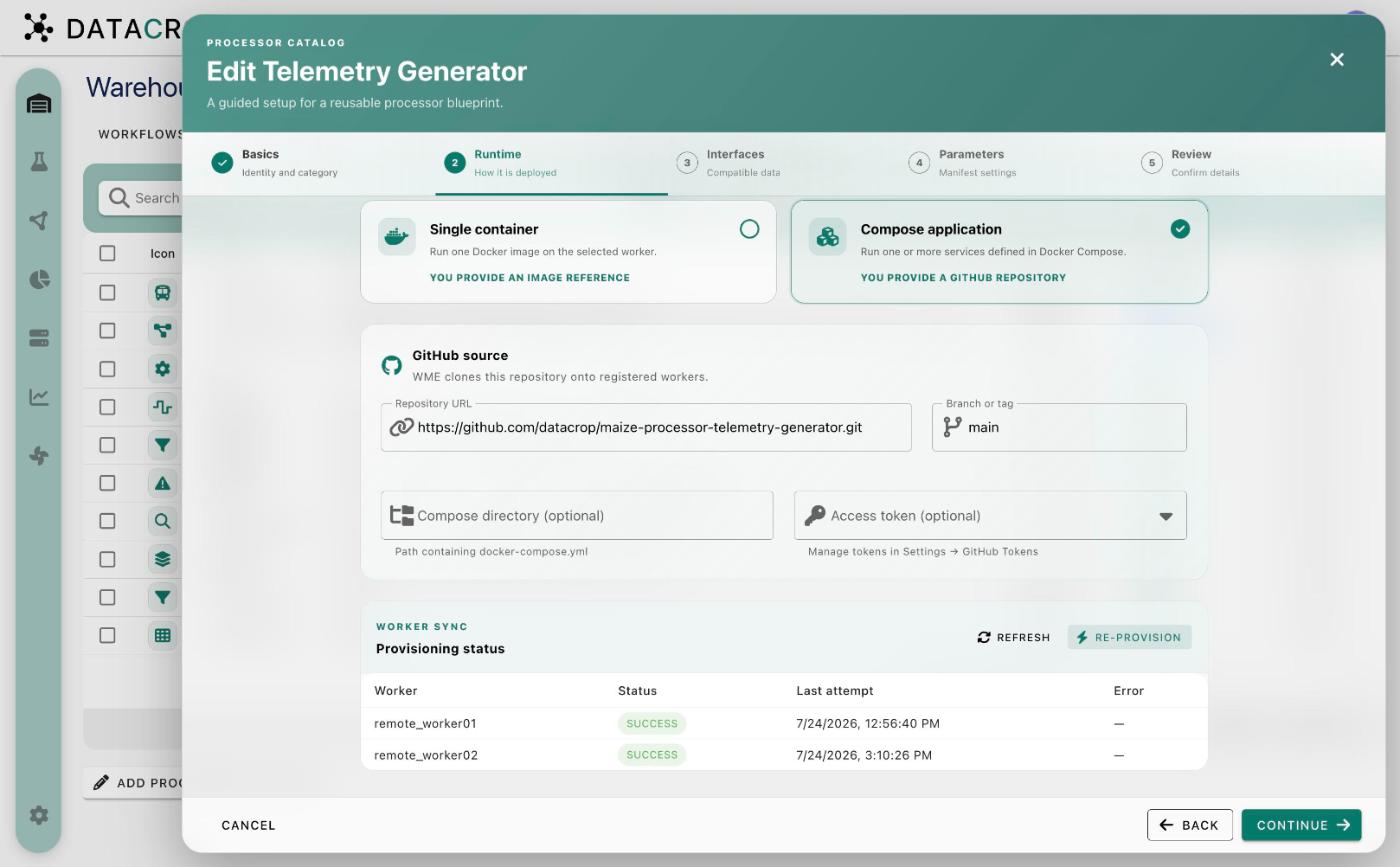
For Compose applications the step also shows Provisioning status — one row per worker with Status, Last attempt and Error. Use Refresh to update it and Re-provision to clone again (for example after pushing a fix to the repository).
Definitions created by uploading a compose file (older WME versions) show a GitHub migration required notice. Move the compose file into a repository and switch the runtime to Compose application.
3. Interfaces
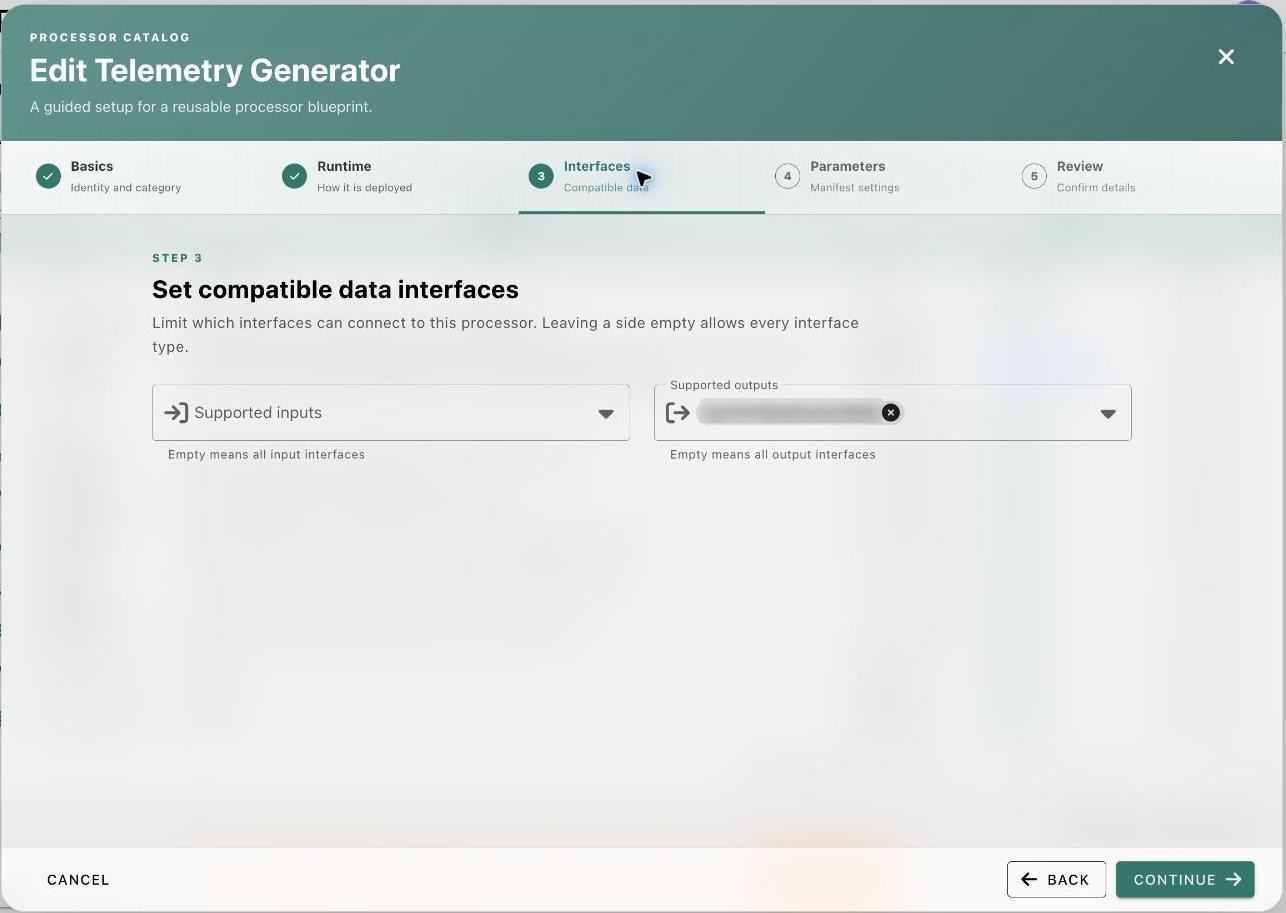
Supported inputs and Supported outputs: the data interface types this processor can read and write. The Flow Creator only allows connections to resources of these types. Leave a list empty to accept any type.
4. Parameters
The settings your component reads from its environment. For each parameter set a Display name, Environment key (the variable name, e.g. WINDOW_SECONDS), Help text, Data type (String, Integer, Float, Double, Boolean, Date, Object, List, Map) and a Default value. In a workflow, users fill these per processor in the Processor Parameters table.
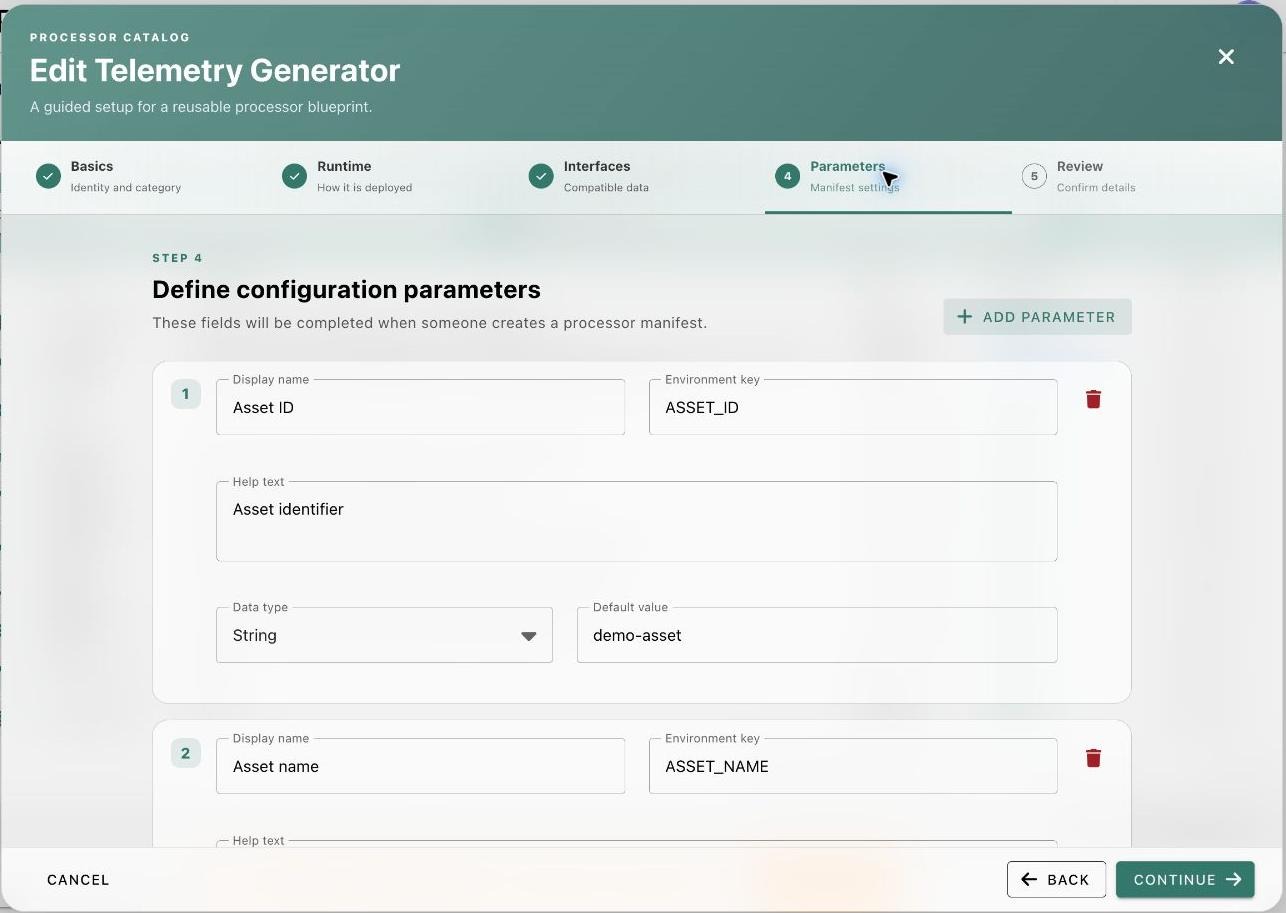
Do not declare parameters for connection settings of input/output resources — those are injected automatically. See Writing processors.
5. Review
Check the summary and Save. For Compose applications provisioning starts in the background on every worker.
The built-in Logstash Pipeline
Logstash Pipeline is a WME-managed definition with two parameters, active and logstash_filter. It does not run your code: WME turns its inputs, outputs and filter into a Logstash pipeline. See Logstash pipelines.
Bundled processors
Initialize Resources adds editable copies of six ready-to-run processors from the datacrop/maize-processor-* repositories — Telemetry Generator, Telemetry Normalizer, Threshold Monitor, Stream Inspector, Asset State Builder and Apache Kafka (with AKHQ). Details: Processor catalogue. Administrators can ship more by mounting an extra-processors.json file into the backend (Model Repository setup).