Digital resources
A digital resource is a concrete place data lives: a Kafka topic, an Elasticsearch index, an MQTT topic, an S3 prefix… It combines a data interface type (the template) with real connection values, and optionally a data kind describing the payload.
Create a resource
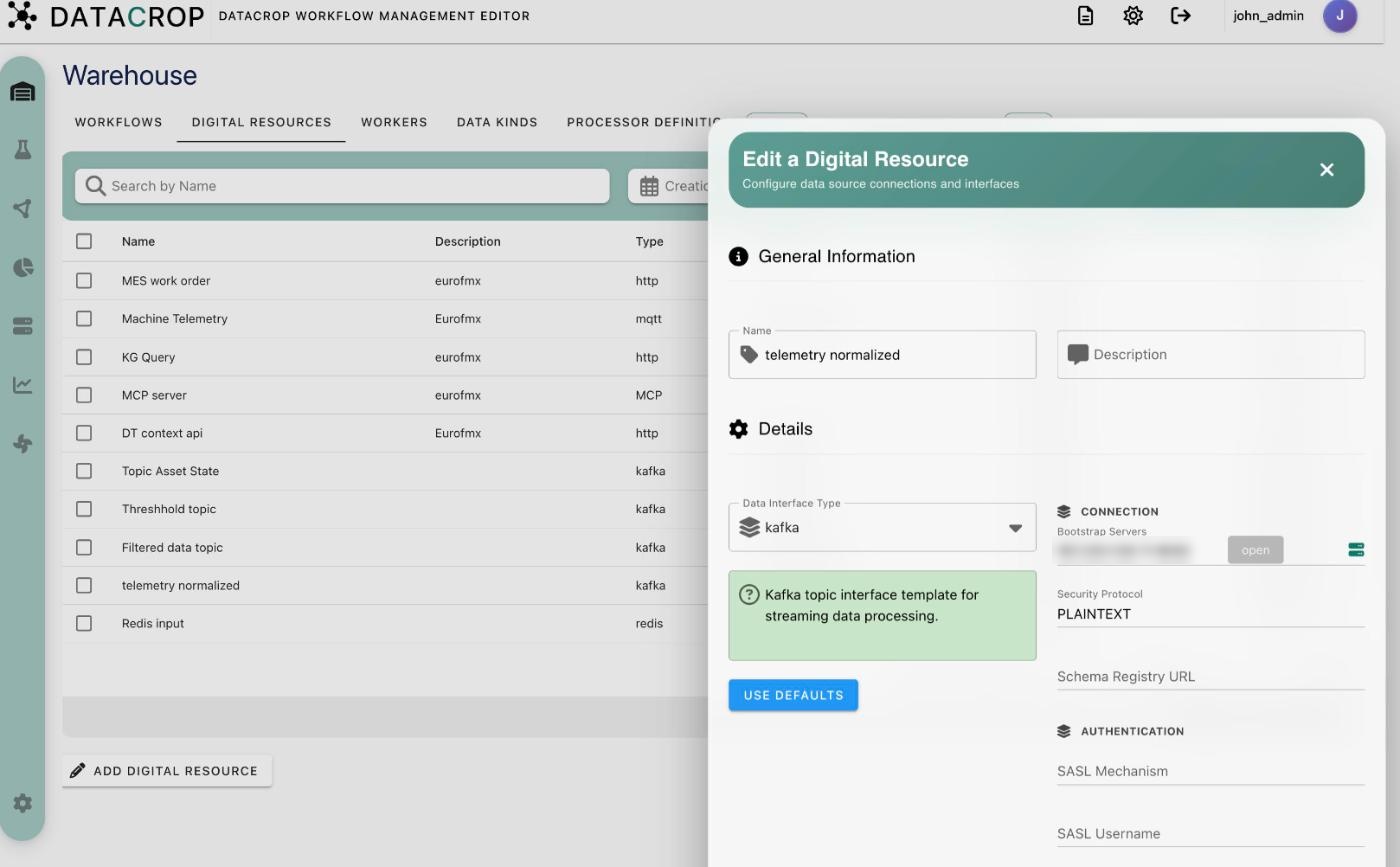
Warehouse → Digital Resources → Add Digital Resource.
- General Information — Name and Description.
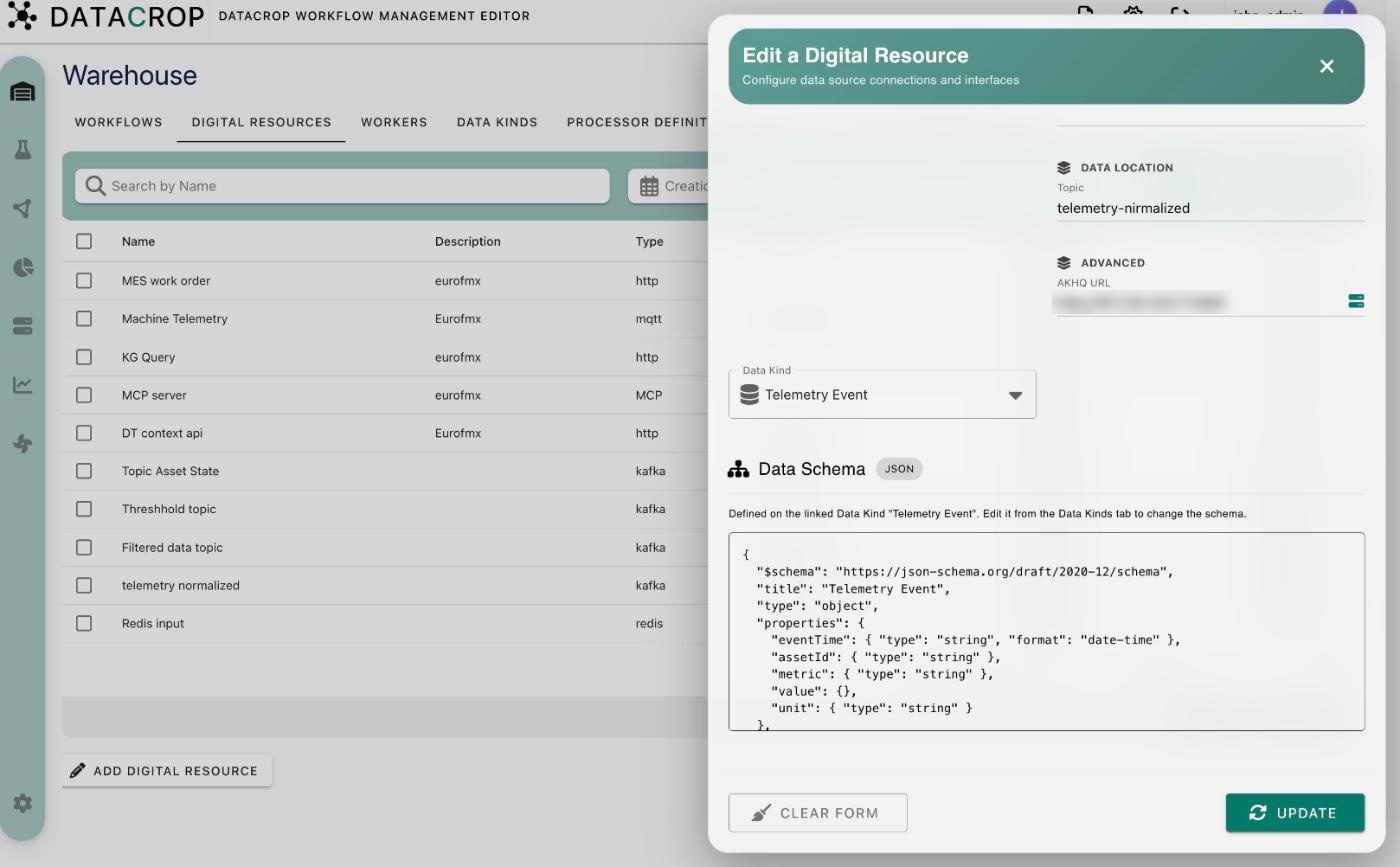
- Details — choose the Data Interface Type. The form then shows that type's parameters, grouped into Connection, Authentication, Data Location, Format and Advanced.
- Fill the parameters, or:
- Use Defaults — fill every parameter with the type's default value;
- Use default WME instance (Kafka, Elasticsearch) — fill the address of the Kafka broker, AKHQ or Elasticsearch bundled with your WME deployment.
- Data Kind — optional but recommended; its schema is shown read-only below the form.
- Save.
Supported interface types
elasticsearch, kafka, http, mongodb, s3, redis, rabbitmq, beats (input only) and mqtt. Parameters and Logstash compatibility for each are listed in Interface types.
How processors use resources
When a resource is connected to a processor as input or output, every parameter is injected into the processor's container as an environment variable named <INTERFACE>_<KEY>_<DIRECTION> — for example KAFKA_TOPIC_ID_INPUT=telemetry-raw. See Configuring processors.
Other actions
- Open in Kibana (Elasticsearch resources) — see Kibana visualizations.
- Open AKHQ (Kafka resources) — browse the topic in AKHQ.
- Duplicate — copy a resource, e.g. to point at another topic.
- Resources can also be created on the fly from a processor form (Create new data input / output) or from the Connect processors dialog in the Flow Creator.
Resource parameters such as passwords and API keys are stored with the resource and passed to containers as environment variables. Treat anyone who can edit a workflow as able to read the credentials of the resources it uses.