Settings
The Settings page controls user-level preferences, registry credentials, and admin resource initialization.
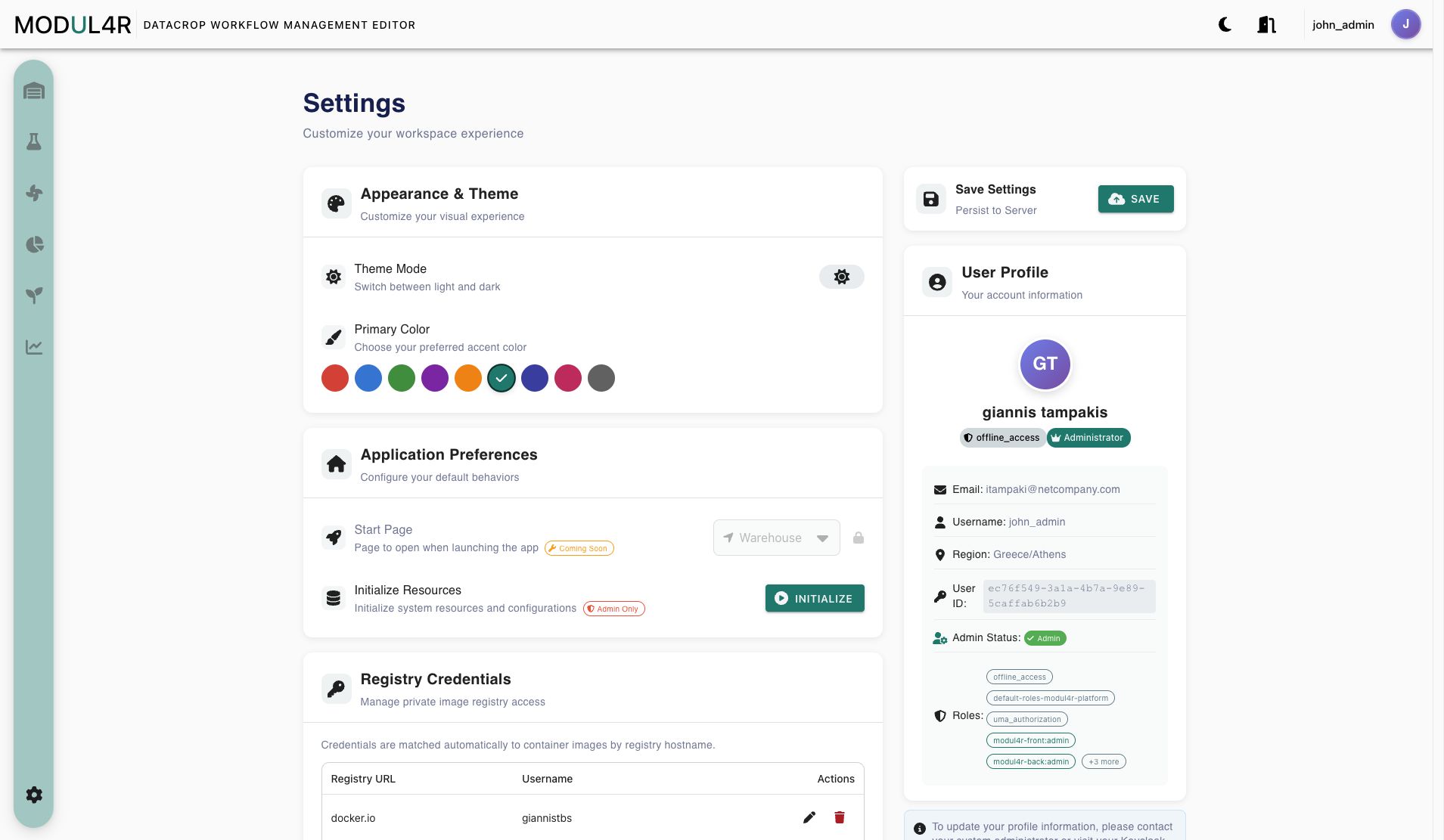
Sections Overview
Current sections in the UI:
- Appearance & Theme
- Application Preferences
- Initialize Resources (admin only card inside Application Preferences)
- Registry Credentials
- Save Settings
- User Profile
The visual layout groups these controls from top to bottom: theme mode and primary color, application preferences and admin initialization, registry credentials, save controls, and the read-only user profile.
Appearance & Theme
Theme Mode
- Toggle between light and dark mode.
- The toggle updates user store dark-theme state used by the app theme.
Primary Color
- Select from predefined color swatches.
- Color is applied immediately to Vuetify custom light/dark themes.
- Change is saved locally immediately; server persistence happens only when pressing Save.
Application Preferences
Start Page
- UI shows a Start Page selector (Warehouse/Lab/Airflow/Kibana).
- In current implementation it is disabled and labeled Coming Soon.
- Effective behavior remains fixed to Warehouse as default landing page.
Initialize Resources (Admin Only)
- Visible only when user is detected as admin.
- Button calls backend
POST /user/v1/initialize-resources. - Intended impact from frontend perspective:
- initializes required catalogs/resources used by Warehouse/Lab (for example worker category dependency checked by inventory initialization).
- Action is repeatable from UI.
Registry Credentials
This section manages private image registry credentials used by backend runtime configuration.
What You Can Do
- Add registry credentials.
- Edit existing entry.
- Remove entry.
Supported Presets
- Docker Hub (
docker.io) - GitHub Container Registry (
ghcr.io) - GitLab (
registry.gitlab.com) - Custom registry URL
Current Form Rules
- Required: normalized URL + username.
- Token rules:
- New entry requires token/password.
- Editing an entry with stored token: token field can be left blank to keep stored secret.
- URL normalization removes protocol (
http://,https://) and trailing slashes.
Token Handling Behavior
- Stored token is masked in UI (
********). - Existing token value is not shown back to users.
Save Settings
- Save button persists settings to backend via
POST /user/v1/settings. - On success: success notification and local backup update.
- On backend failure: error notification and fallback save to localStorage still occurs.
Saved data payload includes:
- selected color
- landing page value (currently not functionally used for startup routing)
- registry credentials payload
User Profile
Displays read-only account data from user/auth stores (populated from decoded Keycloak token fields):
- full name
- authority
- admin flag
- username
- region
- user id
- roles
In-app profile editing is not implemented.
Troubleshooting
- Initialize button not visible: account is not recognized as admin.
- Save fails to backend: settings still fall back to localStorage; check backend availability/auth token.
- Cannot save registry entry: ensure URL and username are set; set token when creating new entry.
- Theme color not persisted after reload: use Save to persist to backend (local fallback depends on browser storage state).