Walkthrough: build a workflow with the assistant
The Workflow Assistant is a preview feature. It needs the assistant-runtime service and an AI provider that supports tool calling (see AI providers).
The Workflow Assistant turns a description into a workflow draft using the processors already in your catalogue. Review the draft in the Lab, then Save it. Run starts its Airflow-managed processors; managed Logstash pipelines take effect on Save.
1. Describe what you need
Open Workflow Assistant from the sidebar and type a request, for example:
Create a small example workflow using Telemetry Generator, a Kafka topic and Telemetry Normalizer. Do not save or run it; I want to review it in the Lab.
Type @ to mention one of your saved workflows if you want the assistant to start from it.
2. Watch the assistant work
The assistant works in visible steps, each shown as a card in the conversation:
- Search the catalogue for matching processor definitions, digital resources, data kinds and workers.
- Create what is missing — data kinds and digital resources. If a resource needs secrets (passwords, keys), a secure form appears; what you type there goes straight to the backend and is never sent to the model.
- Check worker readiness — which workers have the chosen processors provisioned.
- Report requirements — anything it could not resolve (for example a processor that does not exist in your catalogue).
- Create the workflow draft, assigning ready workers to each processor.
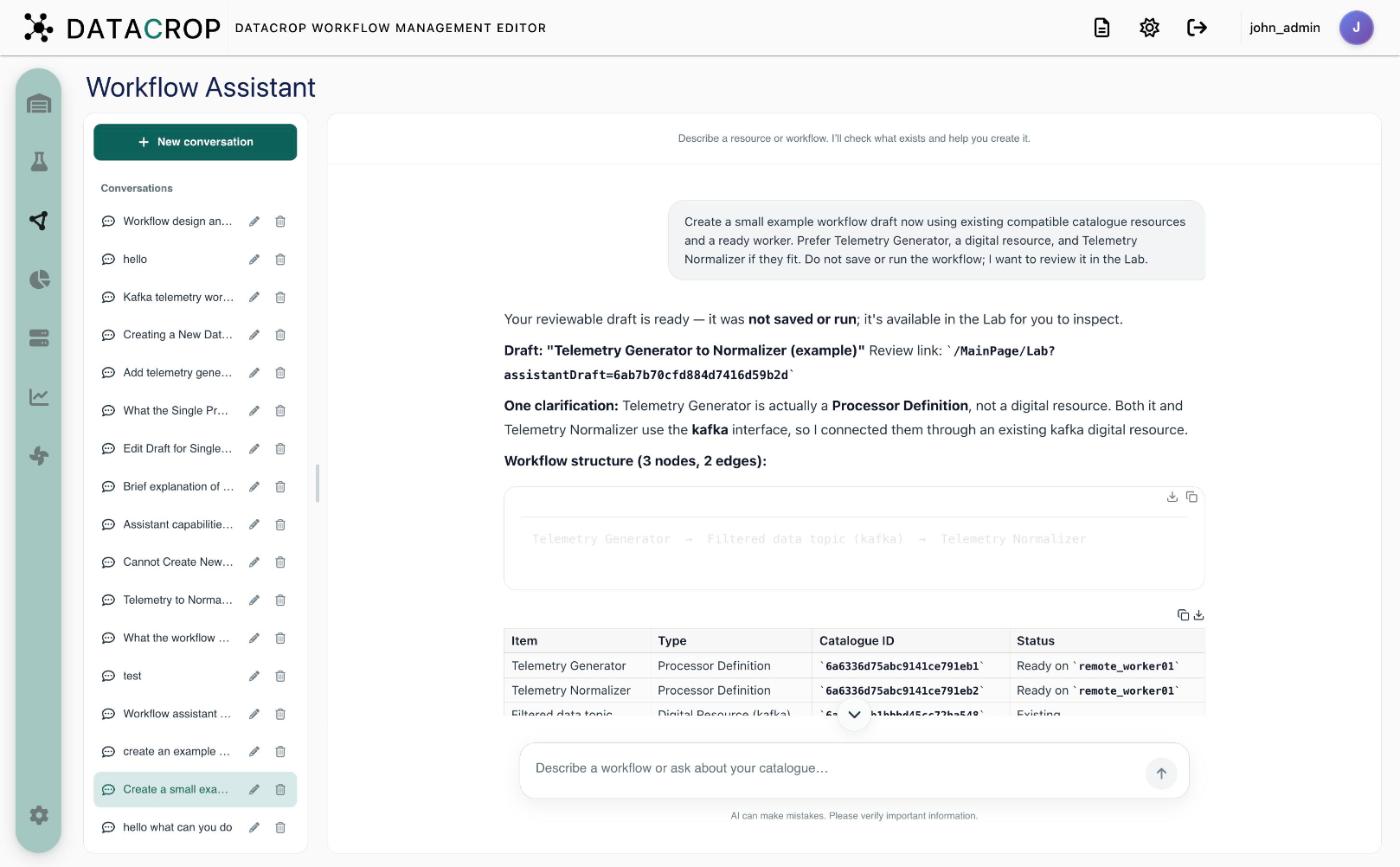
3. Review in the Lab
Open the draft (Go to Lab). It loads as an unsaved workflow: inspect every node, fix parameters, assign workers if the assistant reported gaps. Only Save (or Update, for an edited workflow) makes it permanent — and Update first checks that the original workflow has not changed in the meantime.
Good to know
- The assistant cannot create processor definitions; it only uses what is in your catalogue. Add new processors through Processor definitions.
- Conversations are stored per user; rename or delete them from the conversation list.
- Ask questions too: "Which workflows write to the alerts topic?" is answered from a snapshot of your catalogue.
Read more: Workflow Assistant.