Creating Data Models
This page documents the current Warehouse behavior implemented in the frontend.
Warehouse Tabs And Access
Warehouse shows these tabs:
- Workflows
- Digital Resources
- Workers
- Data Kinds
- Processor Definitions (admin only)
- Data Interface Types (admin only)
Non-admin users do not see the admin tabs.
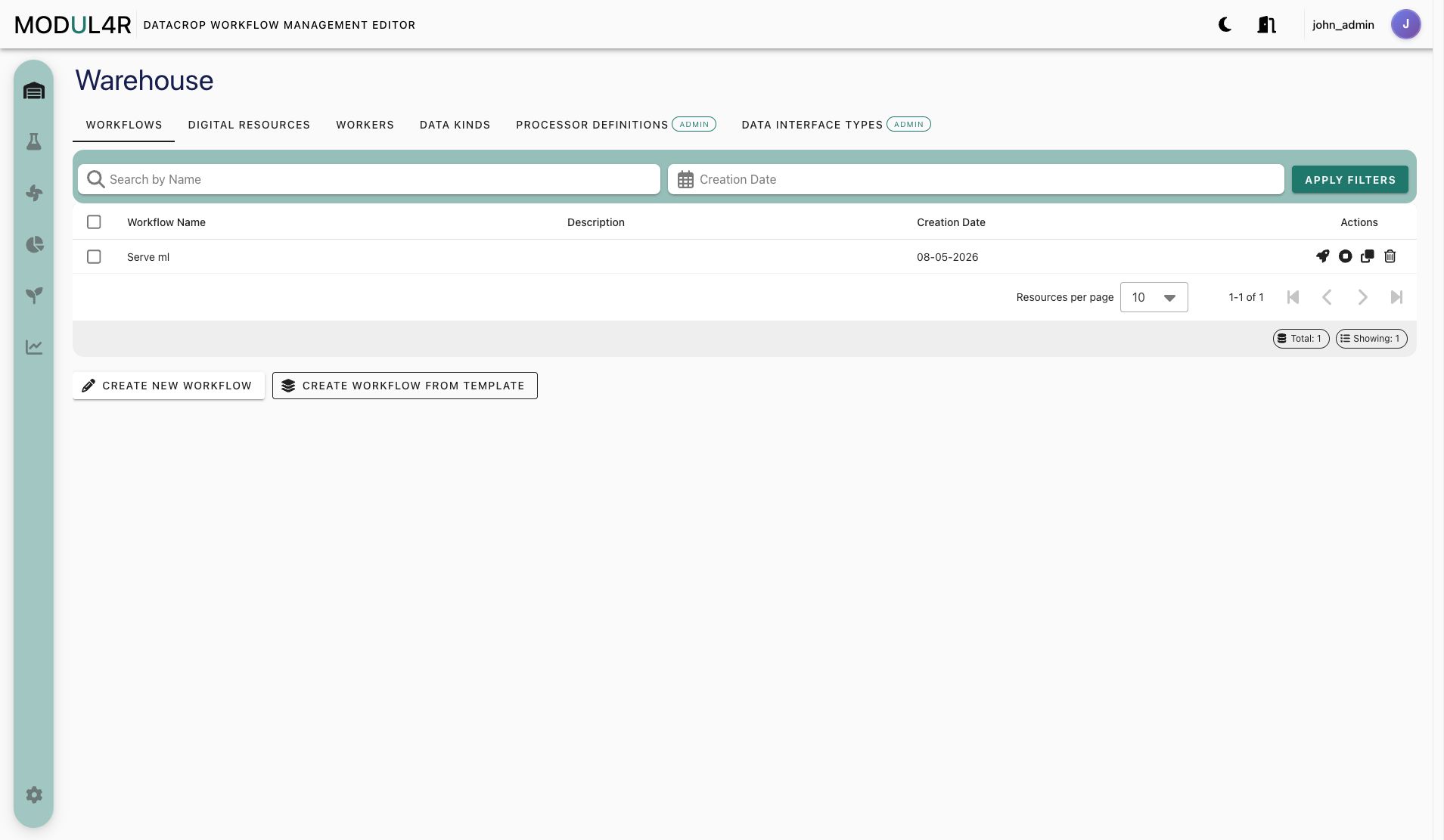
Warehouse Row Actions
Warehouse tables use icon actions in the rightmost column. Their meaning depends on the selected tab:
- Open/Edit opens the selected item form. For saved workflows, opening the row loads that workflow in Workflow Lab.
- Clone creates a copy flow for reusable catalog entries.
- Delete removes the selected item after confirmation.
- Deploy appears on workflow rows and runs the workflow deployment DAG.
- Stop appears on workflow rows and runs the corresponding teardown DAG.
Workflow rows are operational objects, so their actions include Deploy and Stop. Catalog rows such as Digital Resources, Workers, Data Kinds, Processor Definitions, and Data Interface Types focus on management actions such as open/edit, clone, and delete.
Recommended Creation Order
- Initialize resources in Settings (Required, admin only).
- Data Interface Types (Required for Digital Resources).
- Processor Definitions (Required for processor node types in Lab).
- Data Kinds (Optional, but recommended for DR metadata).
- Digital Resources (Required for processor inputs/outputs).
- Workers (Required for most processors, unless specific existing-infrastructure mode is used).
- Workflows and processor nodes in Workflow Lab.
Why this order: each later object depends on IDs and templates created earlier (for example Digital Resources depend on Data Interface Type parameter templates).
Warehouse Entity Matrix
| Entity | What it is | Where created/managed | Required fields / dependencies | Optional fields |
|---|---|---|---|---|
| Workflow (PO) | Saved workflow orchestration object that stores DAG config and graph (nodes/edges). | Listed in Warehouse, created/edited in Lab. | Name; schedule only when requires_scheduler=true; valid graph references. | Description, many DAG fields. |
| Data Interface Type (DIT) | Interface template describing parameter schema for connection types. | Warehouse admin tab. | Name, description, interfaceCategory. | logstashCompatible, parameter defaults/metadata. |
| Digital Resource (DS) | Instantiated data endpoint/source/sink with actual parameter values. | Warehouse tab (also creatable from PM form and Lab transfer flow). | Name, description, selected Data Interface Type, interface parameters. | Data Kind link. |
| Data Kind (DK) | Data metadata descriptor. | Warehouse tab. | Name, description, modelType, quantityKind, format. | None in UI. |
| Asset Category (Worker) | Category template that defines worker parameter schema. | Not managed in Warehouse UI; discovered during inventory initialization. | Must exist in backend (created by Initialize Resources flow). | N/A. |
| Asset (Worker) | Execution target used by processor nodes. | Warehouse tab. | Name, description, worker parameter values from Worker asset category. | Tags parameter (if provided by template). |
| Processor Definition (PD) | Catalog entry for processor type/preset shown in Lab. | Warehouse admin tab. | Name, description, processorType, processorLocation, version; location-specific field (projectName or containerImage). | Icon, copyright, parameter defaults. |
| Processor node (PM) | Runtime processor instance in a workflow graph. | Created in Lab (button/drag/drop). | Processor Definition reference; worker unless existing-infrastructure mode is enabled for eligible processors. | Description, params, DS input/output lists. |
| Workflow Template (WT) | Reusable lightweight graph template (nodes, edges, processor refs). | Saved in Lab, instantiated/managed from Warehouse Workflows tab. | Template name. | Description. |
How To Create Each Entity
Workflows
- Open Warehouse -> Workflows.
- Click Create New Workflow to open Lab, or choose Create Workflow from Template.
- Configure and save from Lab.
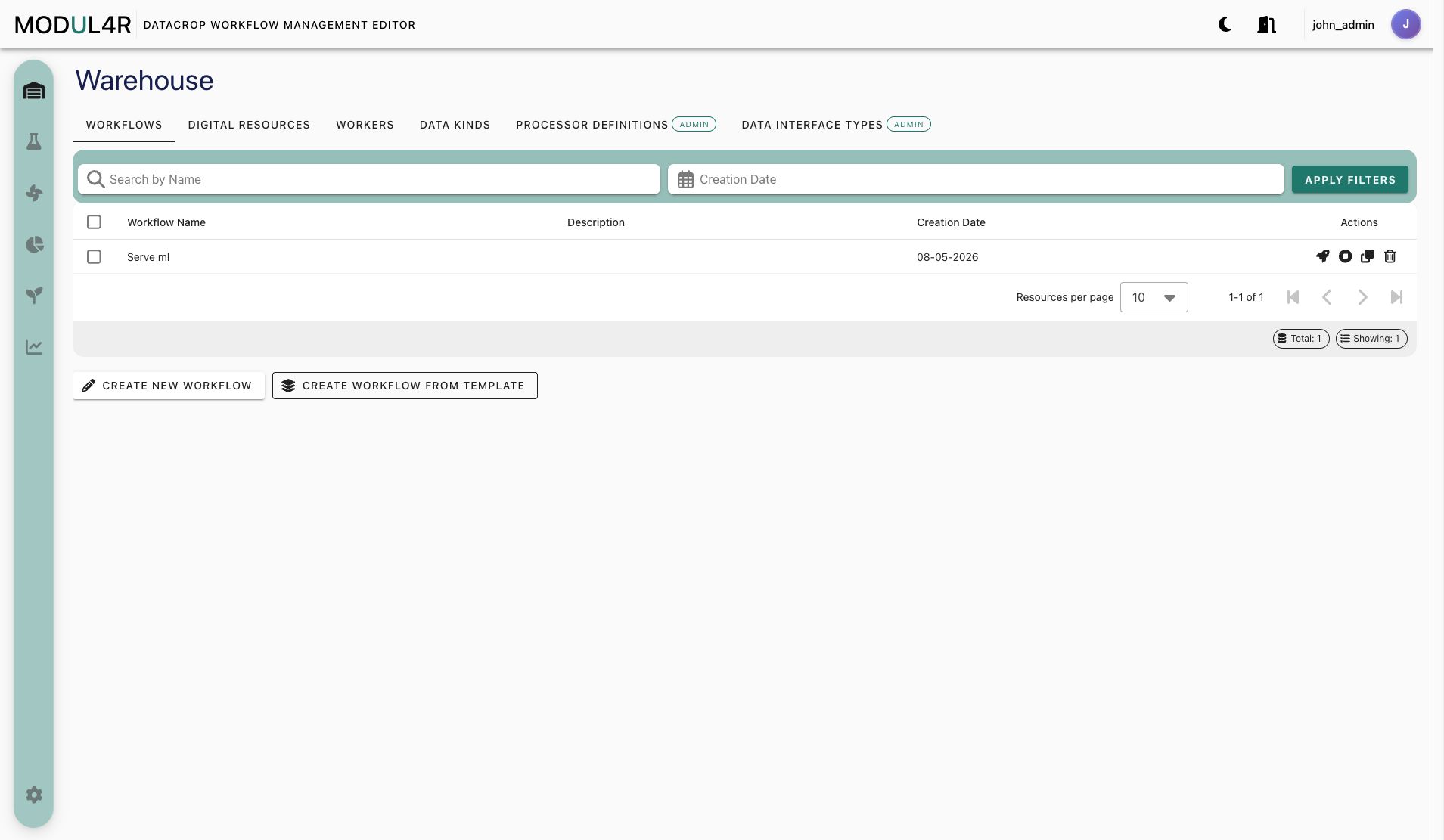
Opening a saved workflow row loads it in Workflow Lab with its details, graph, and runtime controls available.
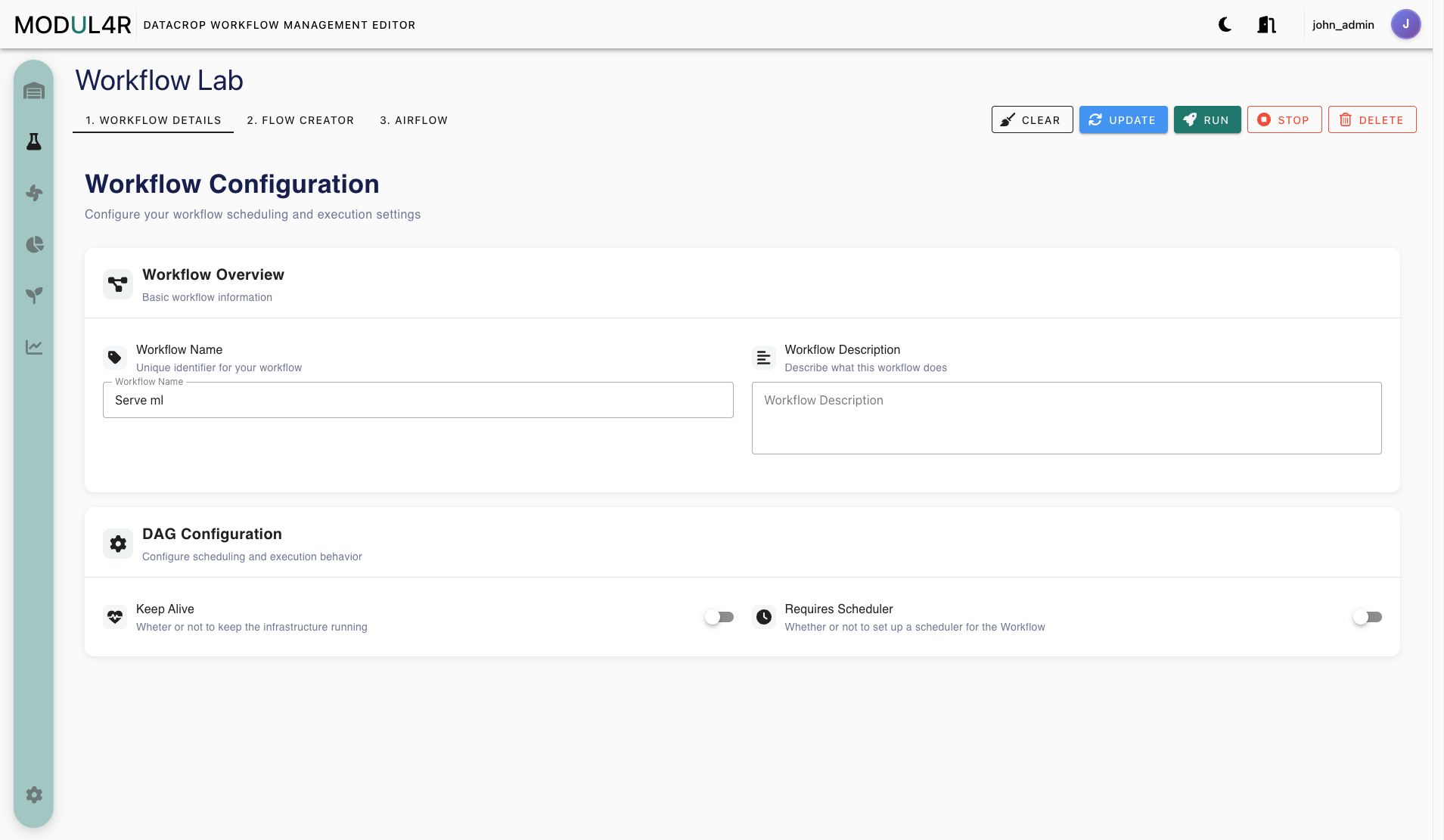
Data Interface Types (Admin)
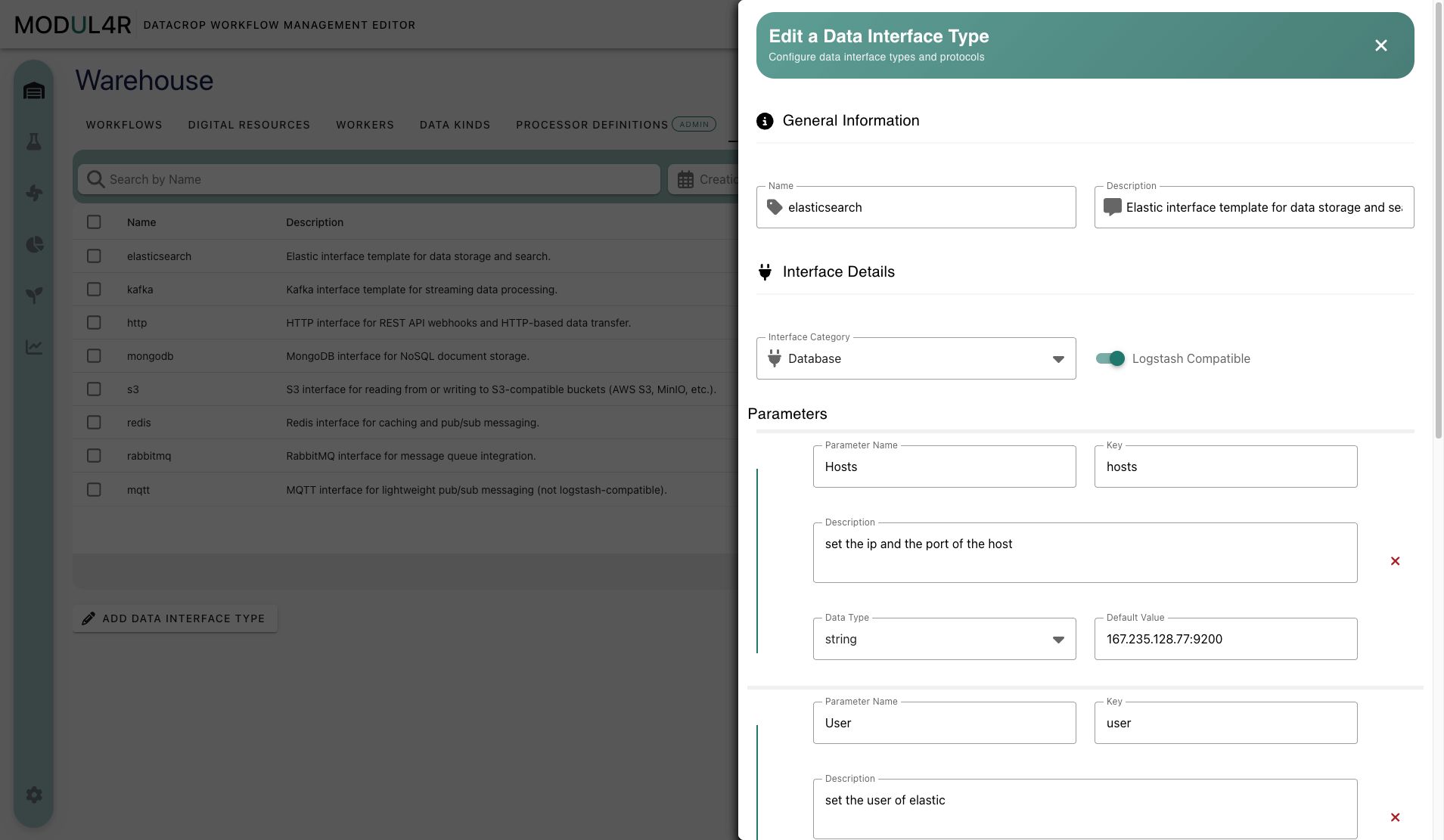
Data Interface Types are admin-managed templates for Digital Resources. They define the connection category and the parameter schema that a Digital Resource form must collect. Logstash-related capability flags on these templates also determine whether resources of that type can be used as Logstash inputs or outputs.
- Open Warehouse -> Data Interface Types.
- Click Add Data Interface Type.
- Fill:
name(required)description(required)interfaceCategory(required)logstashCompatible(optional switch)- parameter list entries (
name,key,type,defaultValue, optional description)
- Save.
Digital Resources
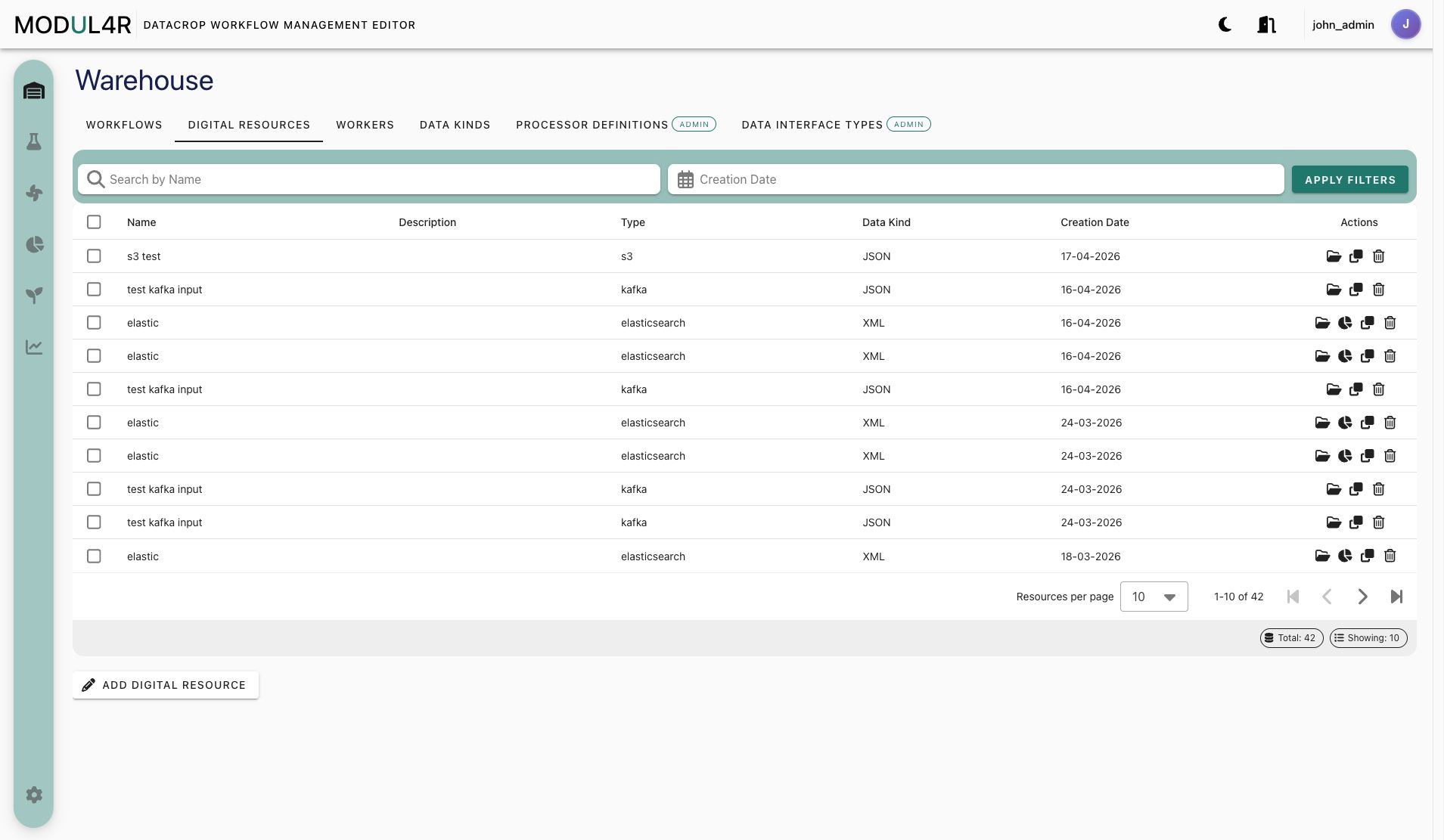
- Open Warehouse -> Digital Resources.
- Click Add Digital Resource.
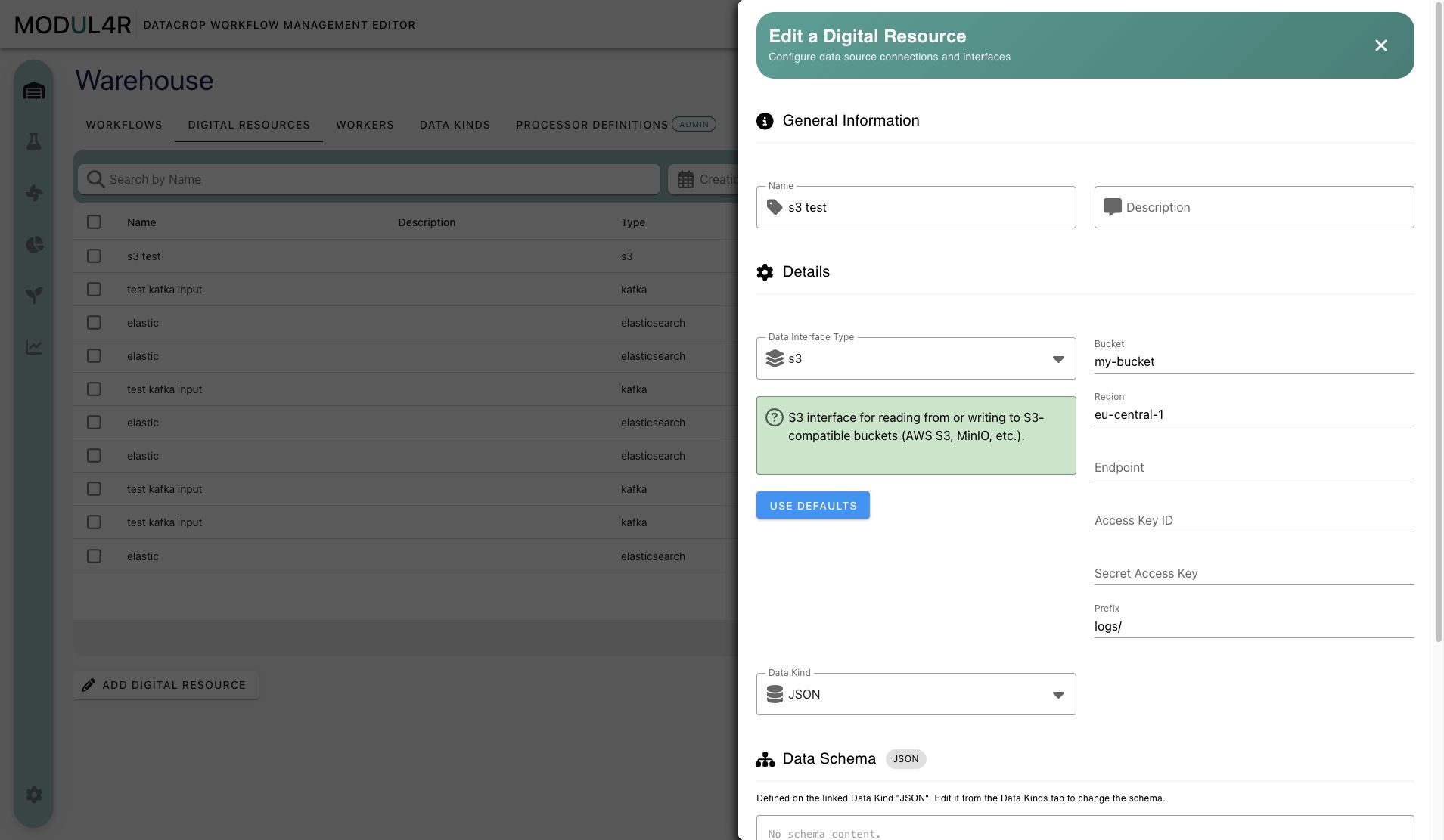
- Fill:
name(required)description(required)dataInterfaceTypeID(required)- interface parameter values (required by selected template)
dataKindID(optional)
- Optional: click Use Defaults to populate parameter values from template defaults.
- Save.
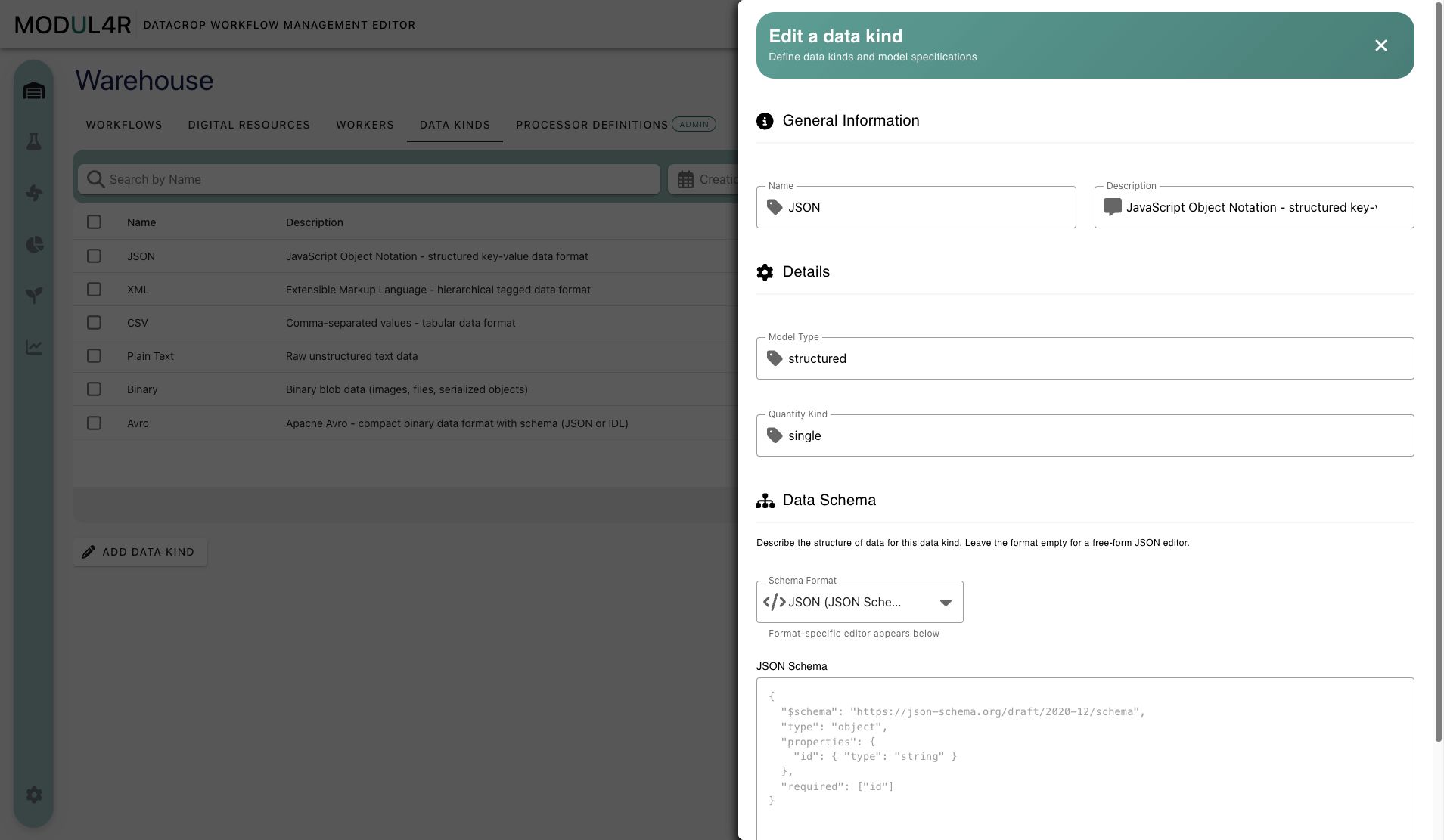
Data Kinds
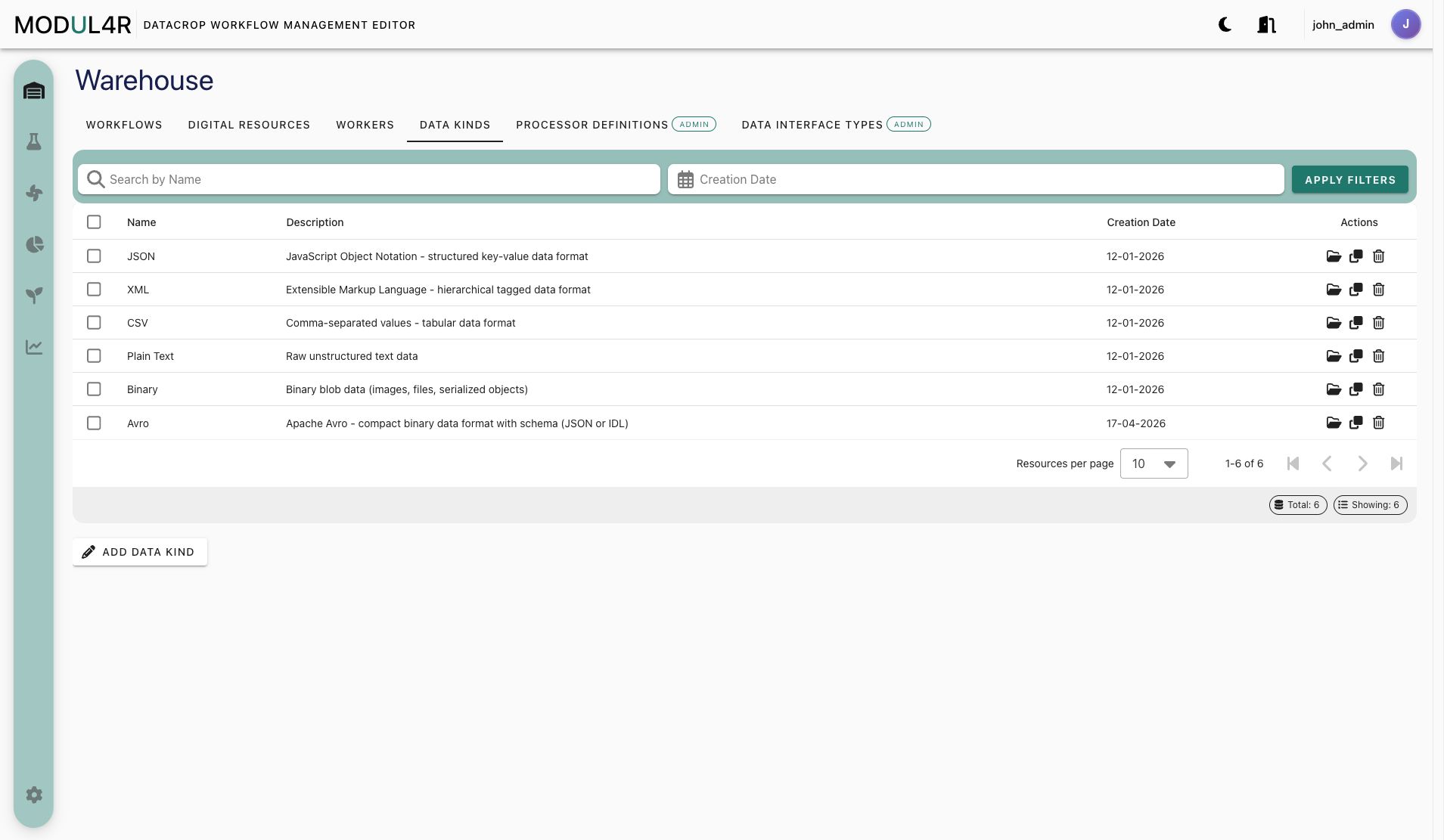
- Open Warehouse -> Data Kinds.
- Click Add Data Kind.
- Fill
name,description,modelType,quantityKind,format. - Save.
Workers
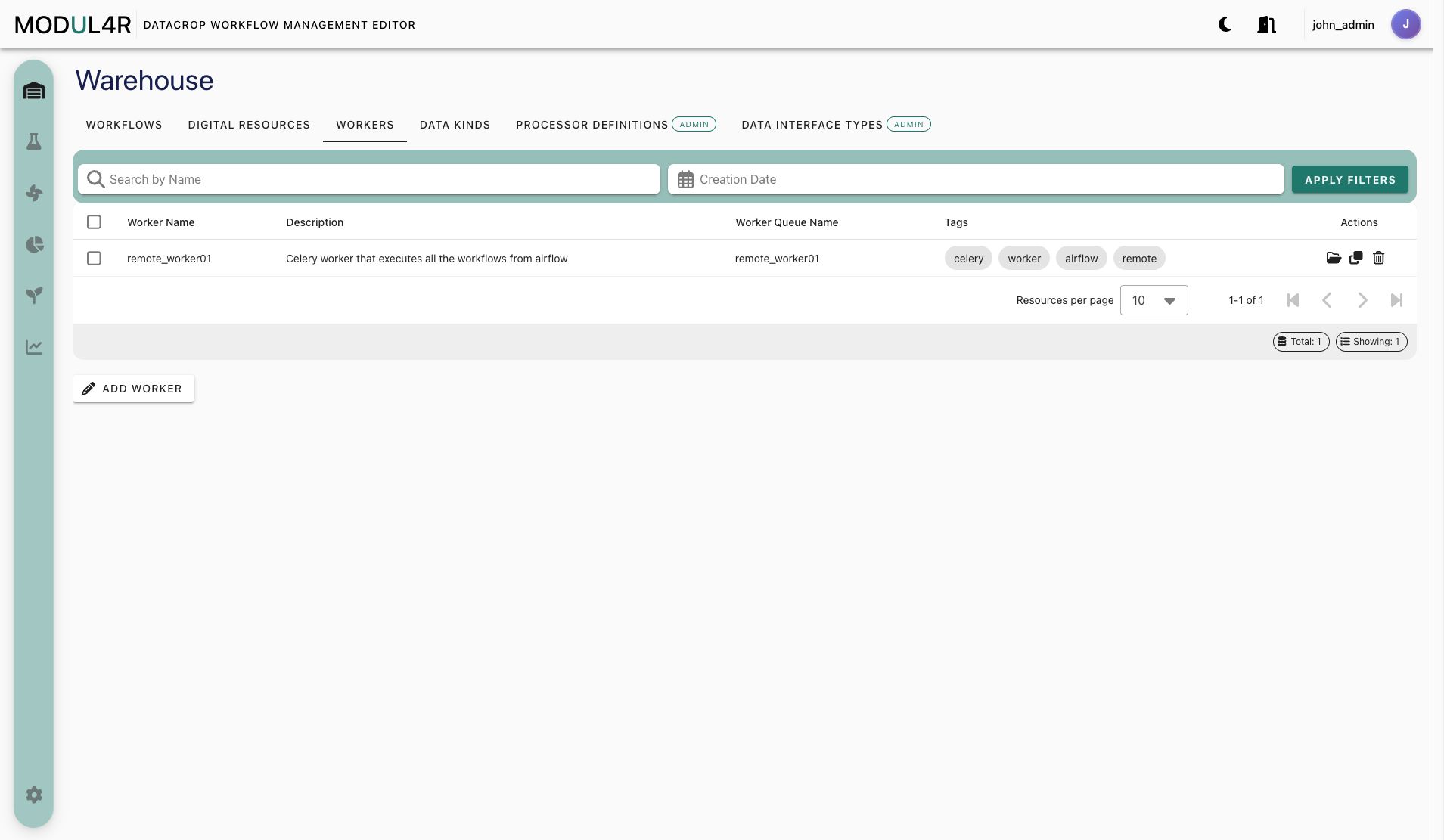
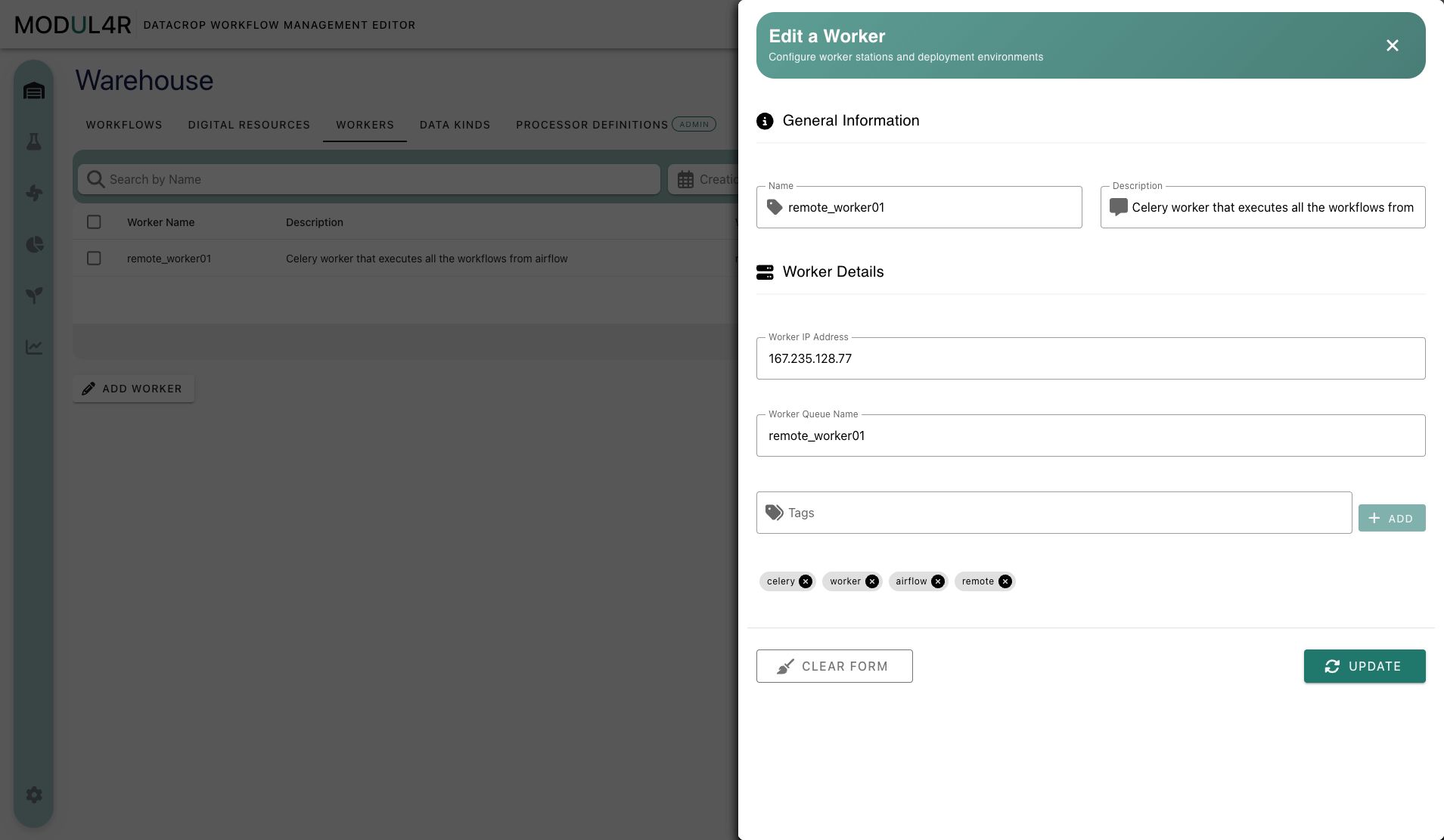
- Open Warehouse -> Workers.
- Click Add Worker.
- Fill
name,description, and category-driven parameter values. - If template exposes tags, add tags in the dedicated tag control.
- Save.
Processor Definitions (Admin)
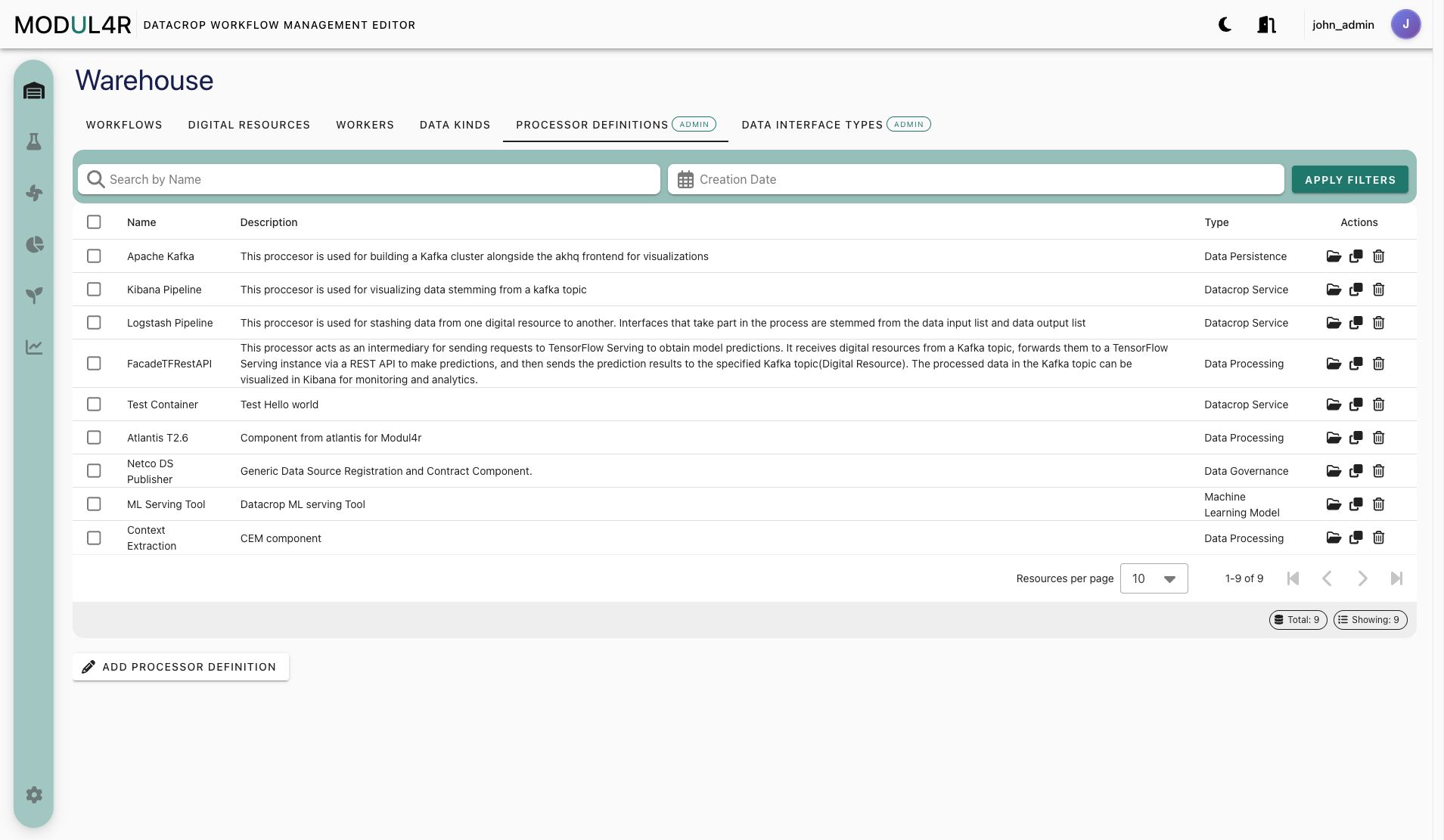
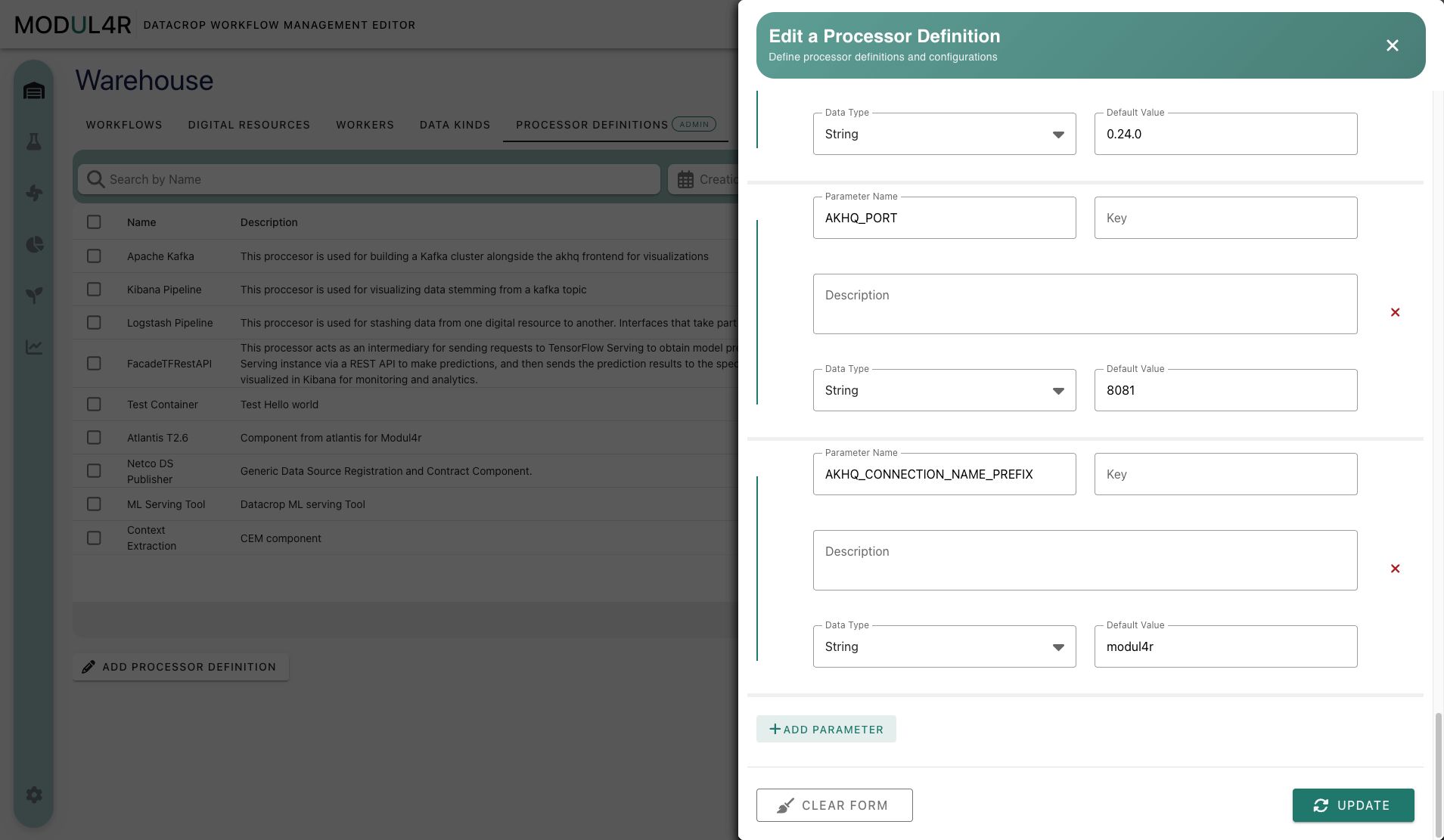
Processor Definitions are admin-managed processor templates. They define which processor types appear in the Lab, where the implementation runs, and which parameter fields processor nodes expose when users configure a workflow.
- Open Warehouse -> Processor Definitions.
- Click Add Processor Definition.
- Fill required core fields and location-specific value:
processorLocation = Local Deployment-> setprojectNameprocessorLocation = Remote Deployment-> setcontainerImage
- Define parameter list entries that processor instances will consume in PM form.
- Save.
Relationship Map
Relationship Table
| From | To | Relationship | Required? | Where used |
|---|---|---|---|---|
| Data Interface Type | Digital Resource | DS parameter schema/template source | Yes | Warehouse DS form, Lab DS display, PM env var derivation |
| Data Kind | Digital Resource | DS semantic classification | No | Warehouse listing and DS metadata |
| Asset Category (Worker) | Asset (Worker) | Worker parameter template and category binding | Yes | Worker form and backend worker creation |
| Processor Definition | Processor node | Node type + parameter template | Yes | Lab flow editor and PM form |
| Worker Asset | Processor node | Execution target (assetID) | Usually yes | PM form and deployment runtime |
| Digital Resource | Processor node dataInput | Input data binding | Depends on processor/use case | PM form + flow connections |
Processor node dataOutput | Digital Resource | Output data binding | Depends on processor/use case | PM form + flow connections |
| Workflow | Nodes + edges + processor refs | Full orchestration container | Yes | Save/Update/Run lifecycle |
Troubleshooting
- Workers are not available / initialization warning is shown: Go to Settings and run Initialize Resources as admin.
- Admin tabs are missing: Your account is not detected as admin by role mapping.
- Digital Resource parameter fields are empty: Select a Data Interface Type first.
- Worker fields seem incomplete: Some parameters are intentionally hidden in UI (
ssh user,ssh public key; worker table also hidesip/ip address). - Template edit/delete buttons not visible: Only admins or template owners can edit/delete templates.